Case Study Presentation
Customers Were Leaving. I Rebuilt the System.
Anuja Harsha — Senior Product Designer
Flagship Case Study @ Cloud Software Group
CustomersWereLeaving.40YearsWithoutUpdates.
Volunteered one week in. Mapped 5 undocumented subsystems from scratch. Navigated 2 rejected architectures. Delivered a brand-new integrated system — not a UI refresh.
Role & Expertise
UX Owner
Timeline
Sept 2022 – Nov 2023
SHIPPED APRIL 2024
Company
Cloud Software Group — WebFOCUS
Act I
Week 1. A Product That Had Never Been Touched by Design.
Customers were leaving after 40+ years without updates. One week in, I volunteered for the project no one else would take. No documentation, no roadmap, no prior designer.
50-year-old black box. Zero documentation.
I had to reverse-engineer the entire system logic by interviewing 12 engineers and reading 5,000 lines of legacy code.
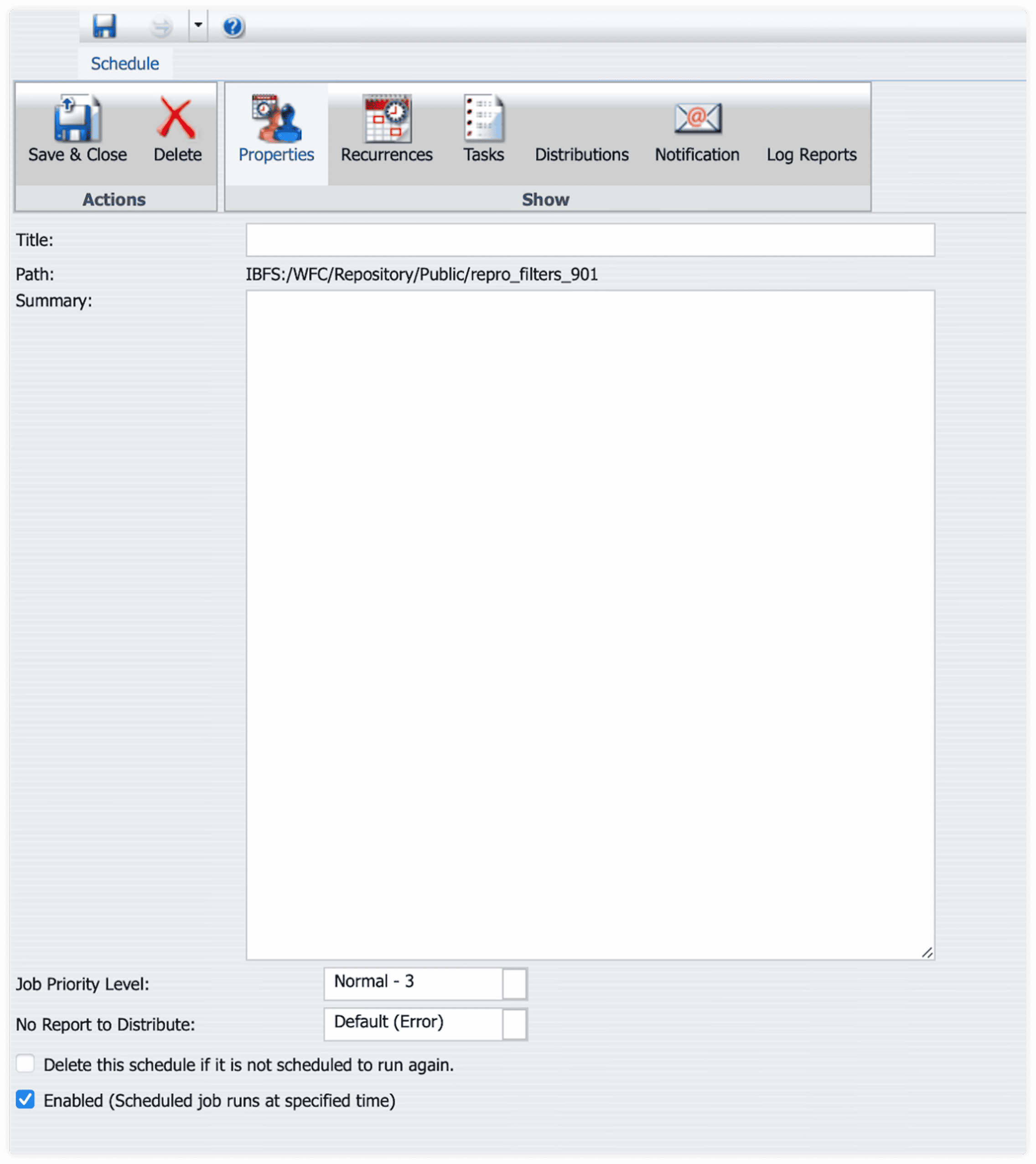
// UX_FAILURE: 5 distinct interfaces required for 1 workflow.
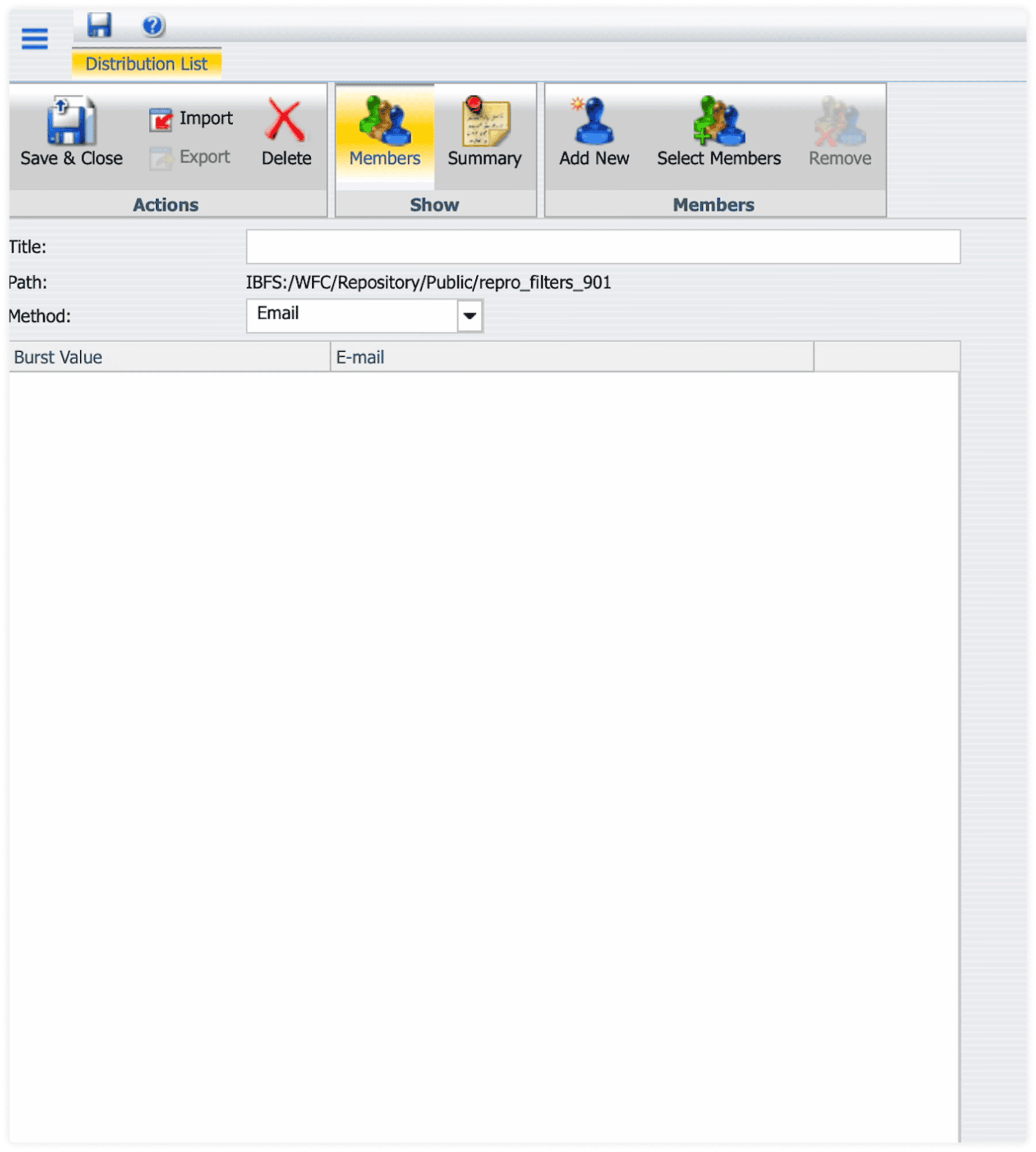
// UX_FAILURE: Separate screen for a sub-task of scheduling.
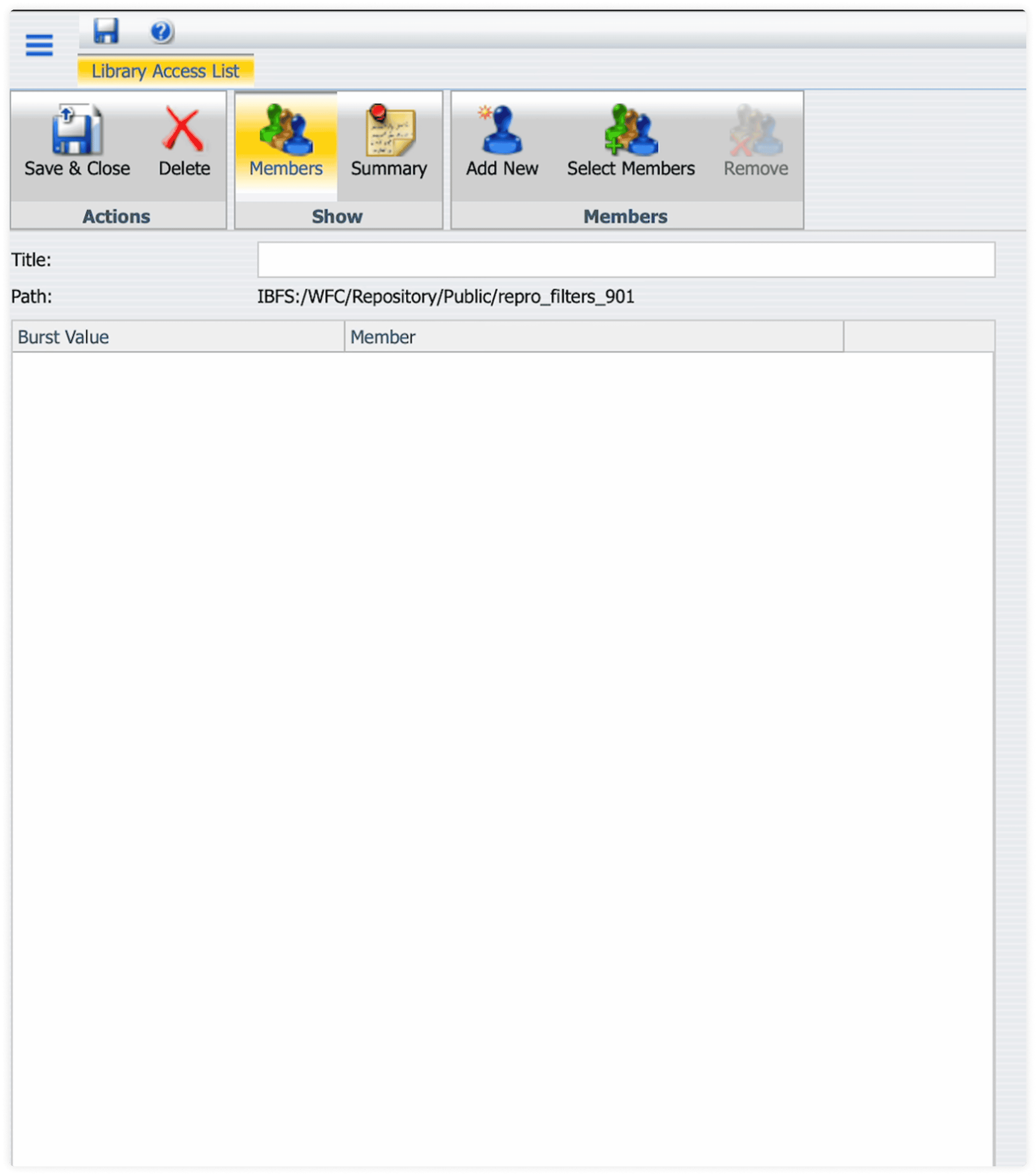
// UX_FAILURE: Critical security settings buried in separate app.
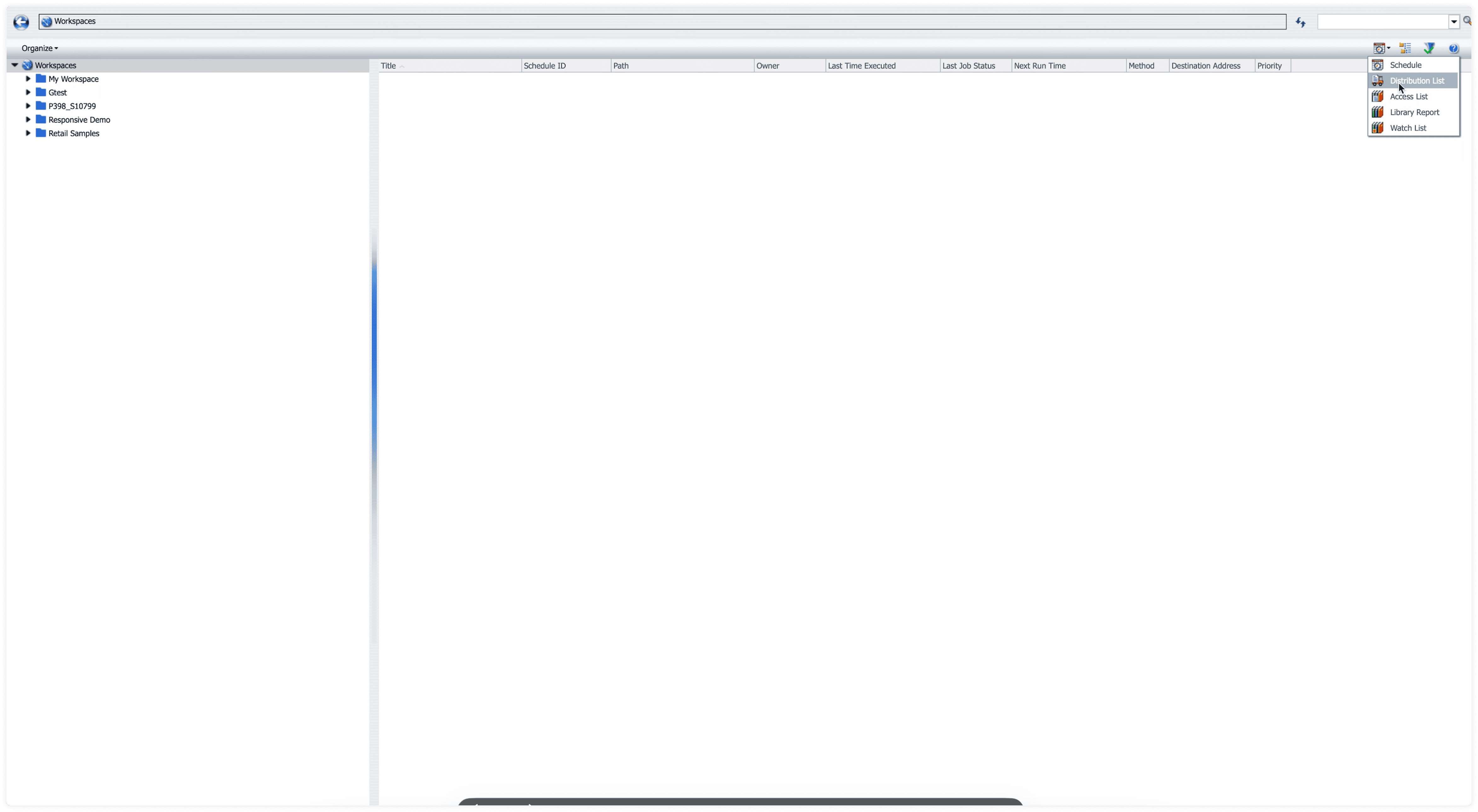
// UX_FAILURE: Disconnected asset browser with no hub integration.
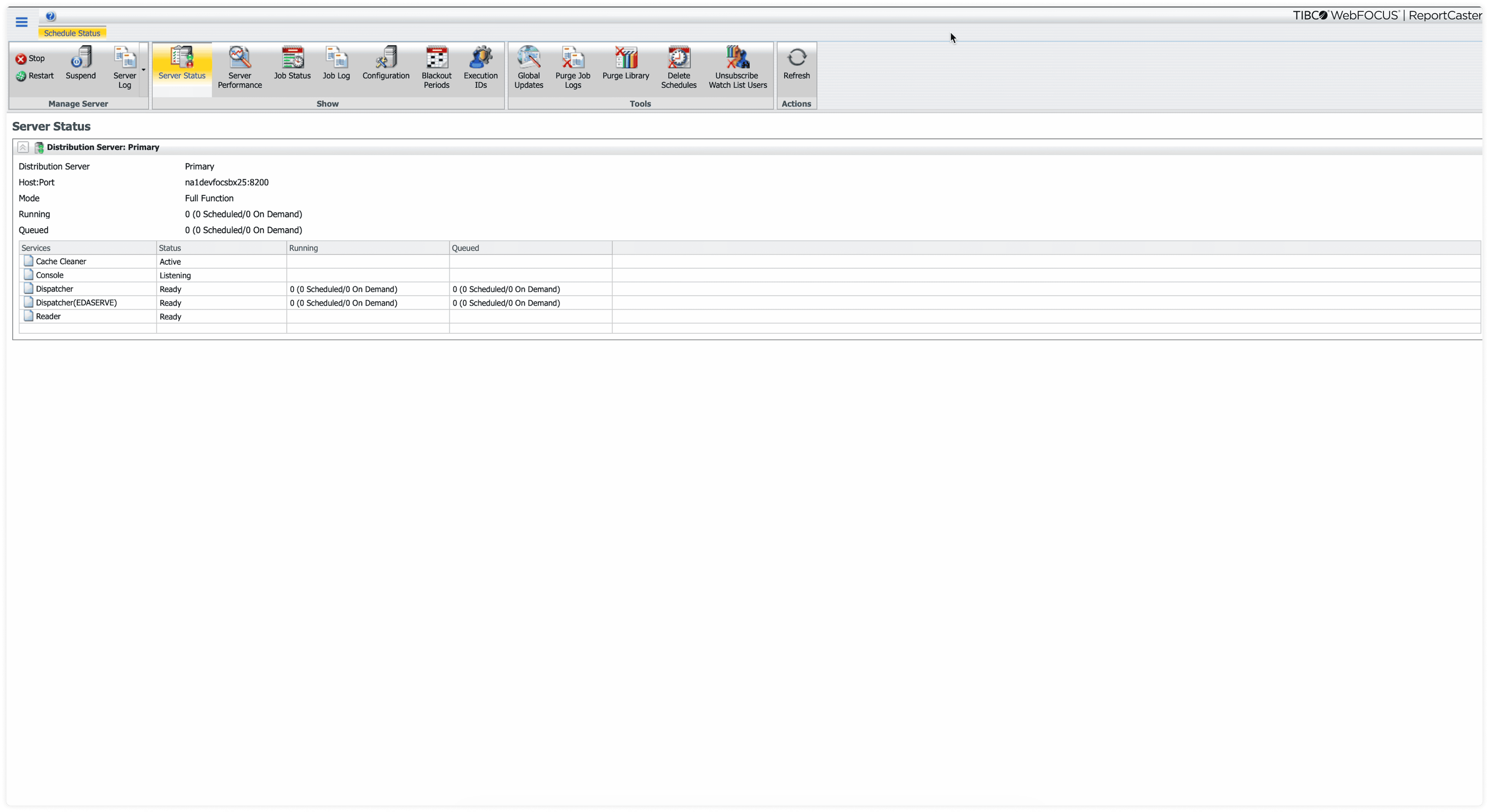
// UX_FAILURE: Admin functions siloed in completely separate tool.
I realized ReportCaster wasn't one product — it was five disparate subsystems masquerading as one. Unifying them required not just a UI refresh, but a complete architectural convergence.
Act II
No Users. No Docs. So I Built My Own Research Network.
No user access. No documentation. I embedded with the Gold Support lead and the original RC engineer — they became my sources of truth.
Navigating Enterprise Research Constraints
How I reconstructed an undocumented 50-year-old system when direct user research wasn't possible.
Enterprise security policy blocked direct access to end users. No interviews, no usability tests, no direct feedback loops.
Leveraged Support Agents and Customer Reps as high-fidelity proxies for user pain points. Built ecosystem understanding through indirect channels.
Chris Kaplan
Gold Support Lead
Yingchun Chen
Original RC Engineer
Act III
5 Systems. 2 Rejections. 1 Breakthrough.
V1 stung. V2 was my favorite. V3 was the breakthrough — born from asking how the platform itself wanted workflows to behave.
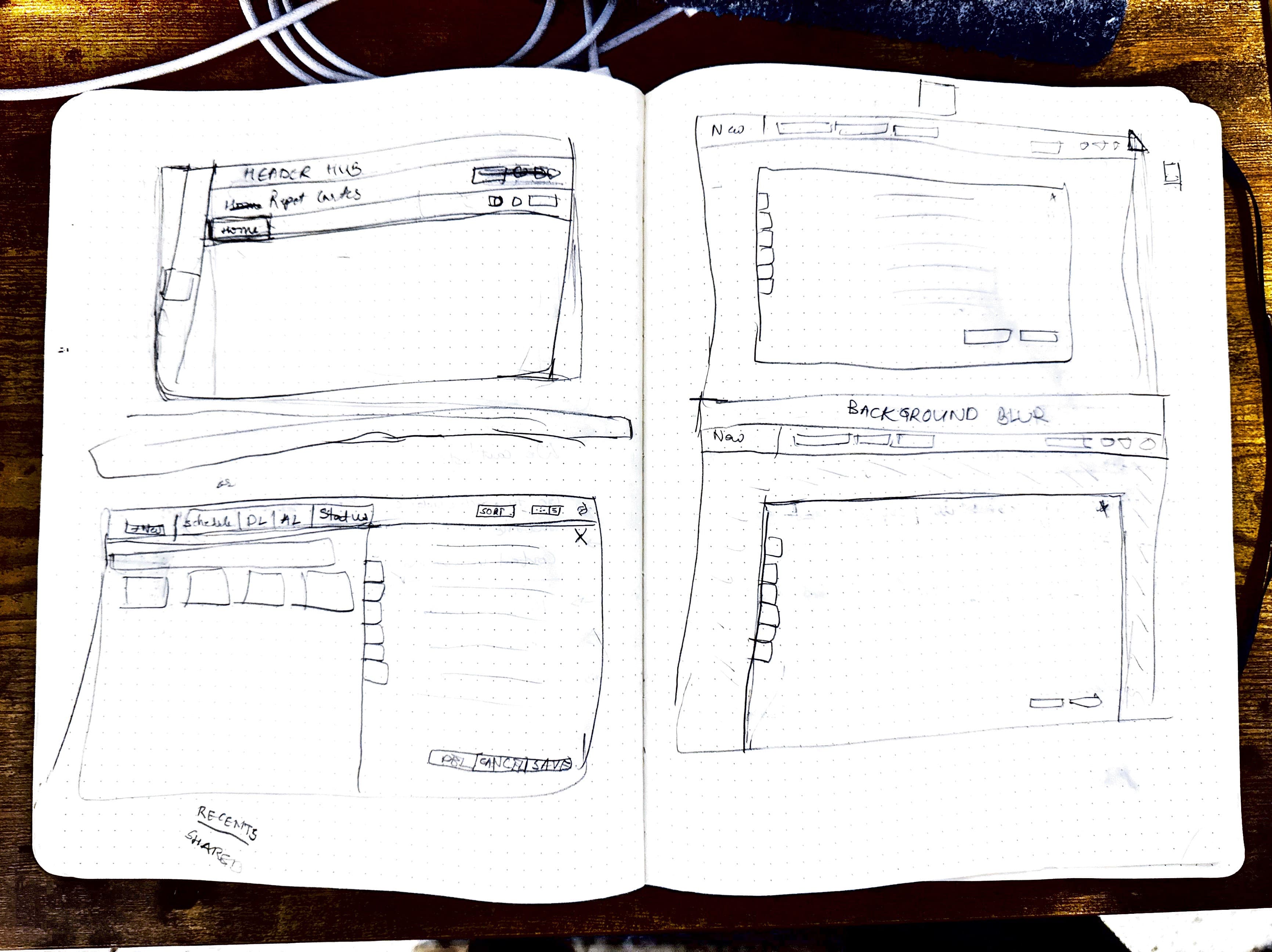
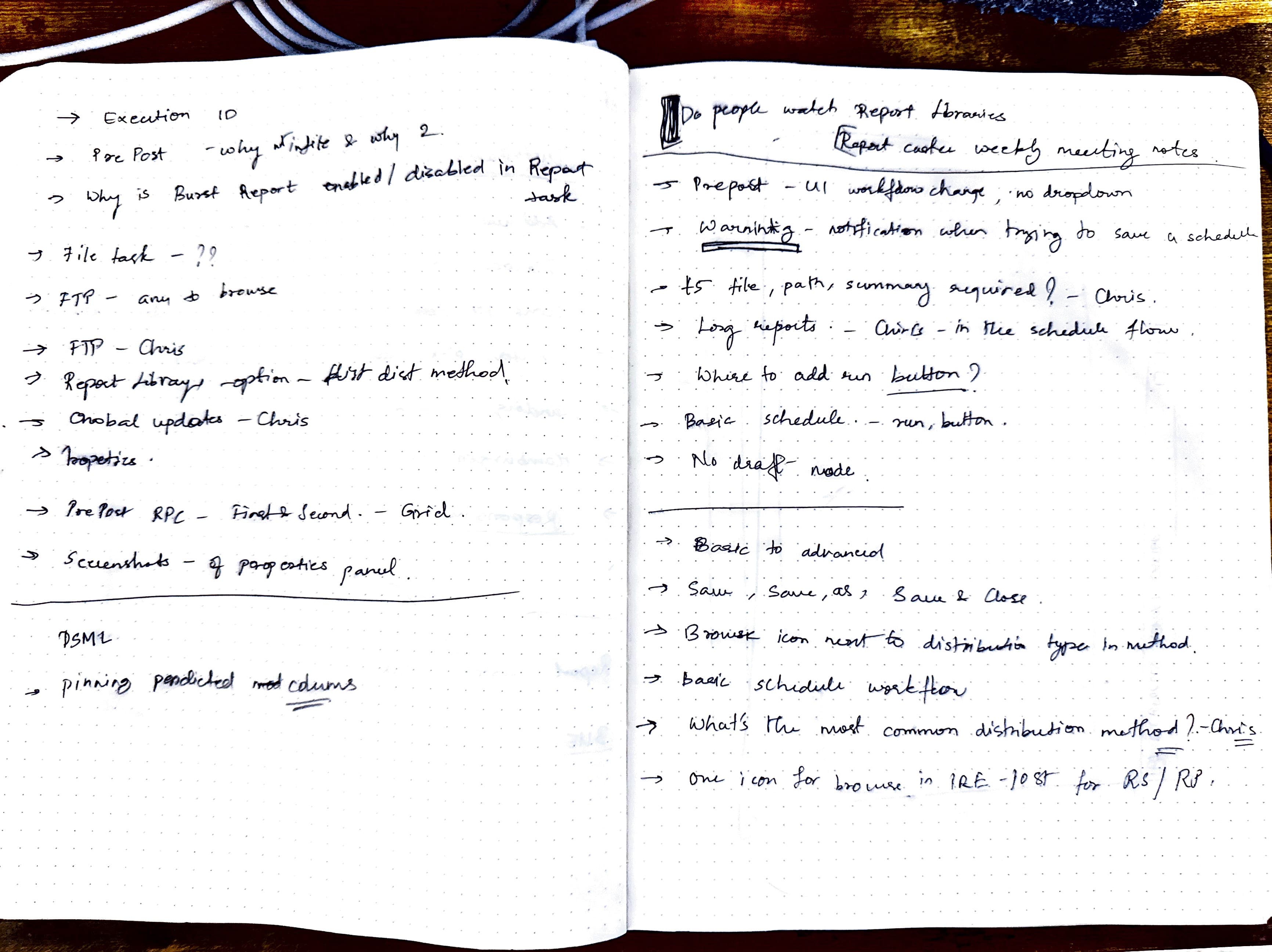
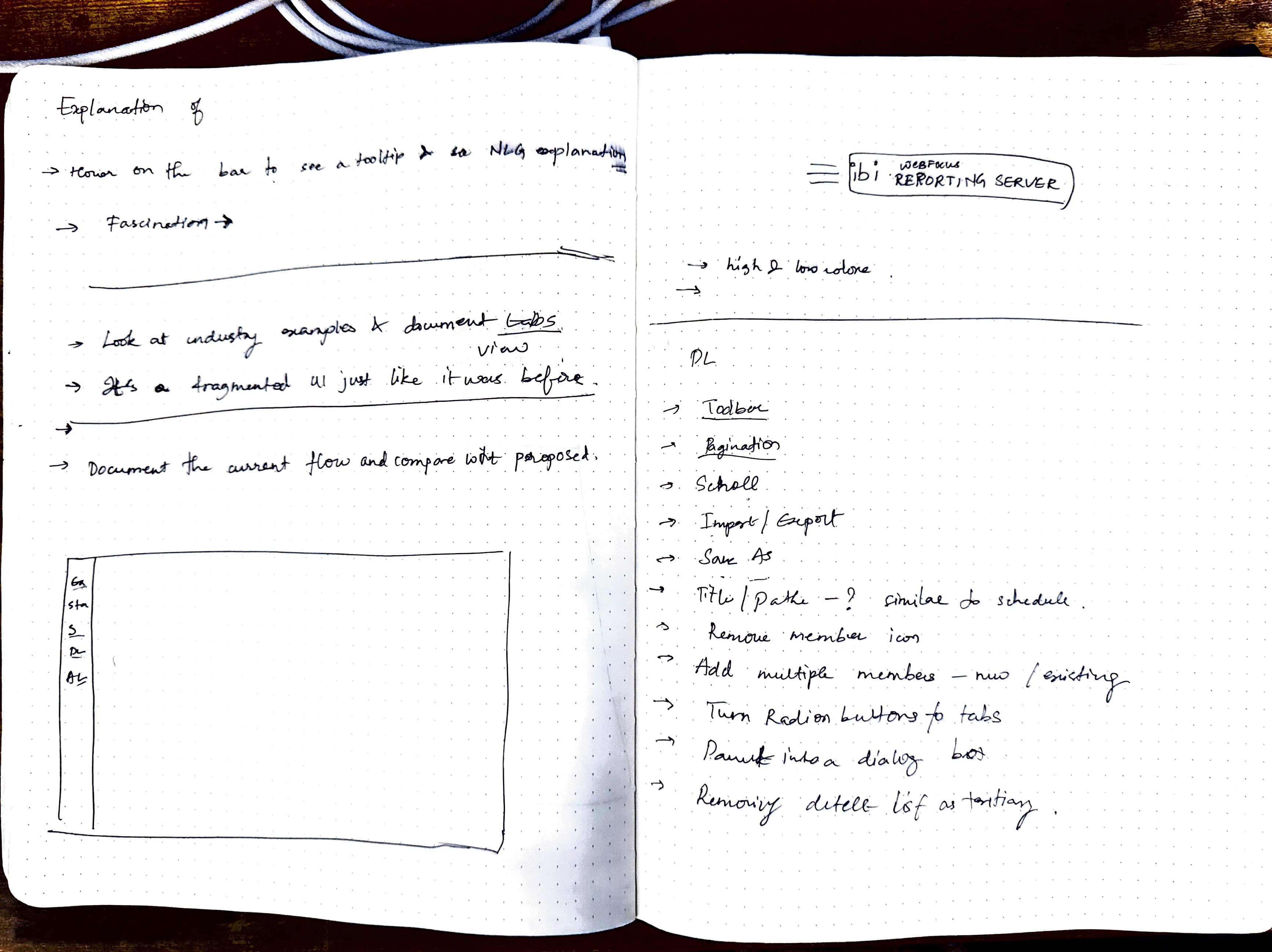
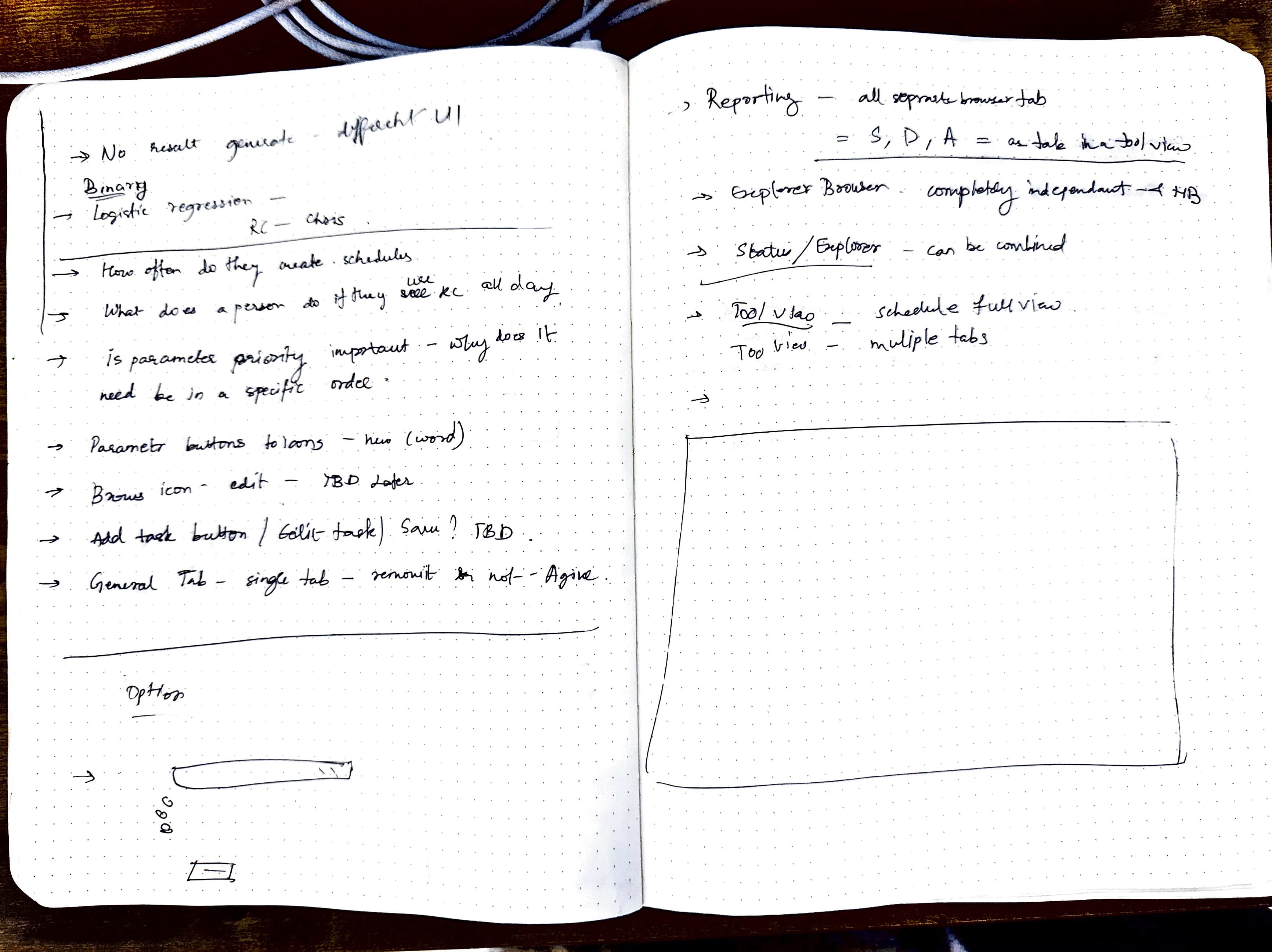
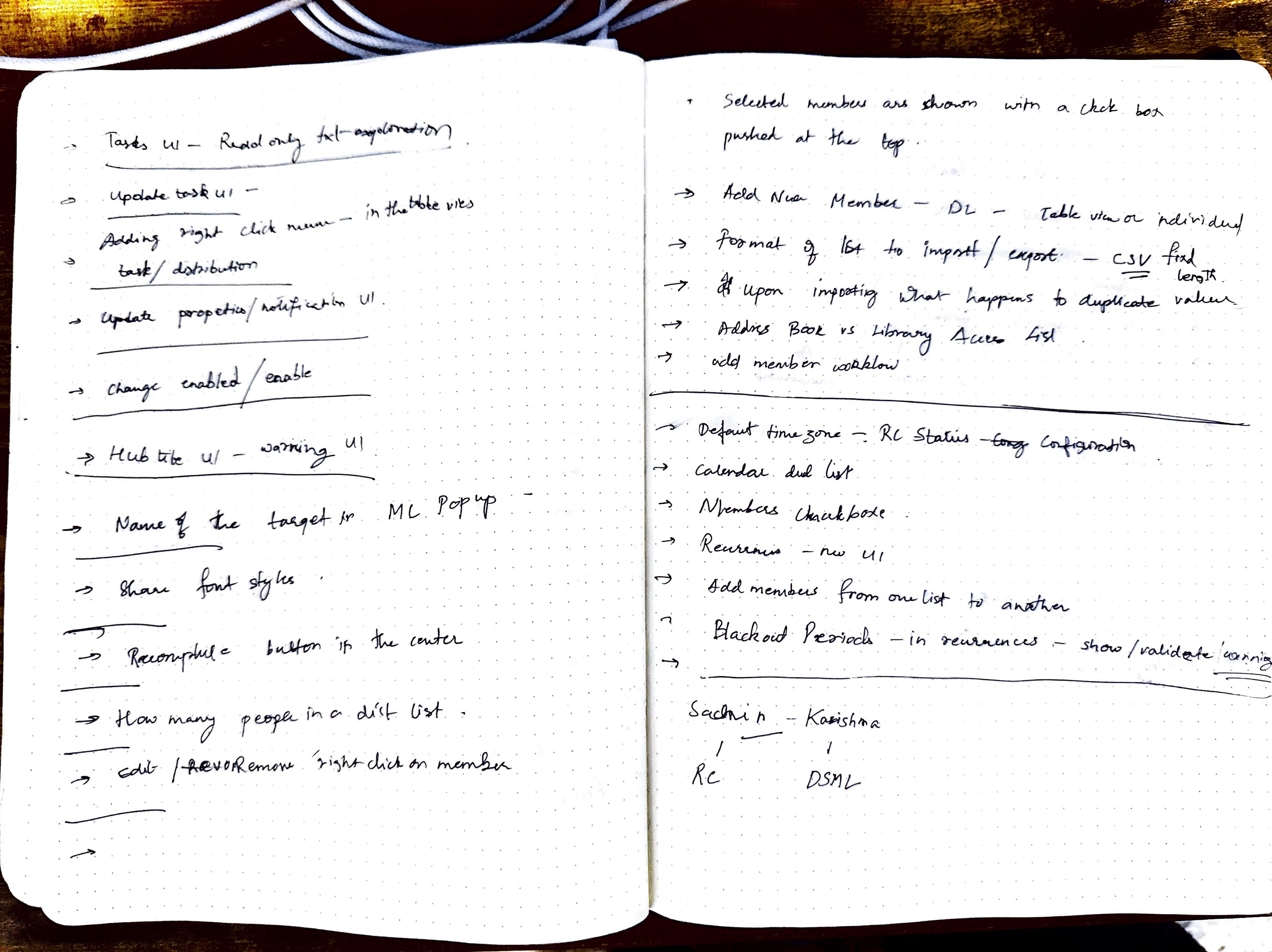
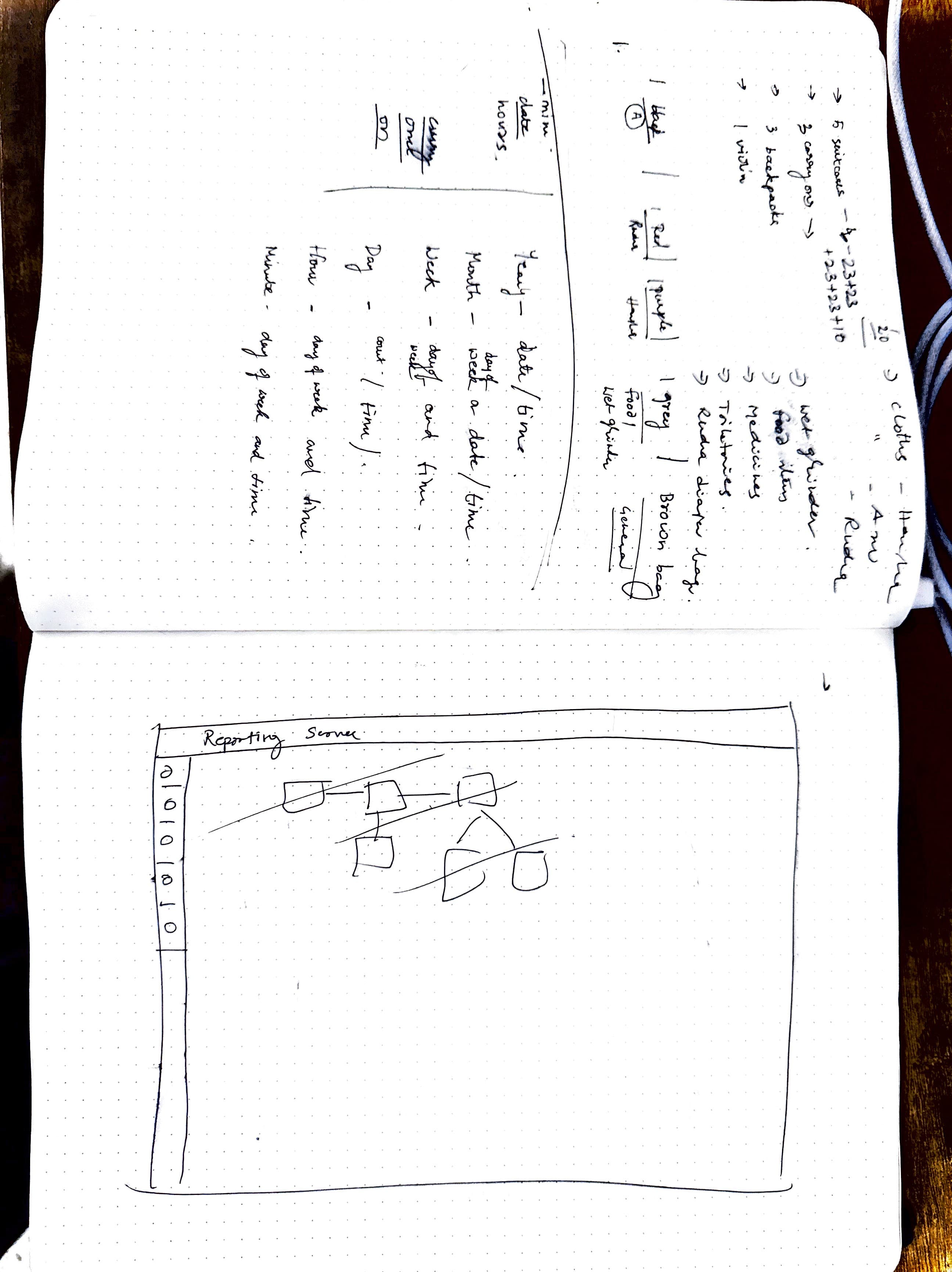
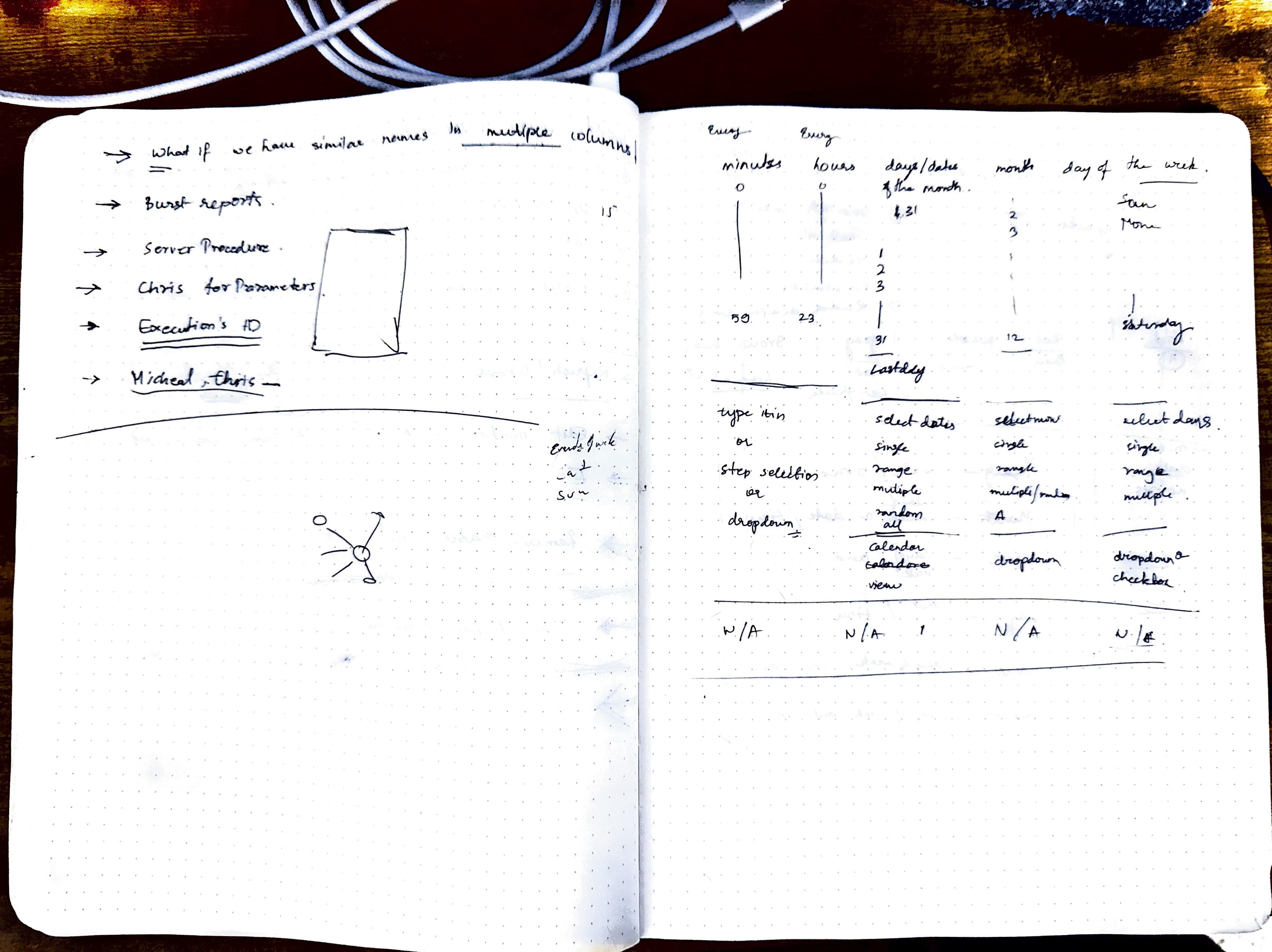
The Raw Sketchbook
Before pixels, there was paper. 100+ pages of notes, logic maps, and questions that built this system.
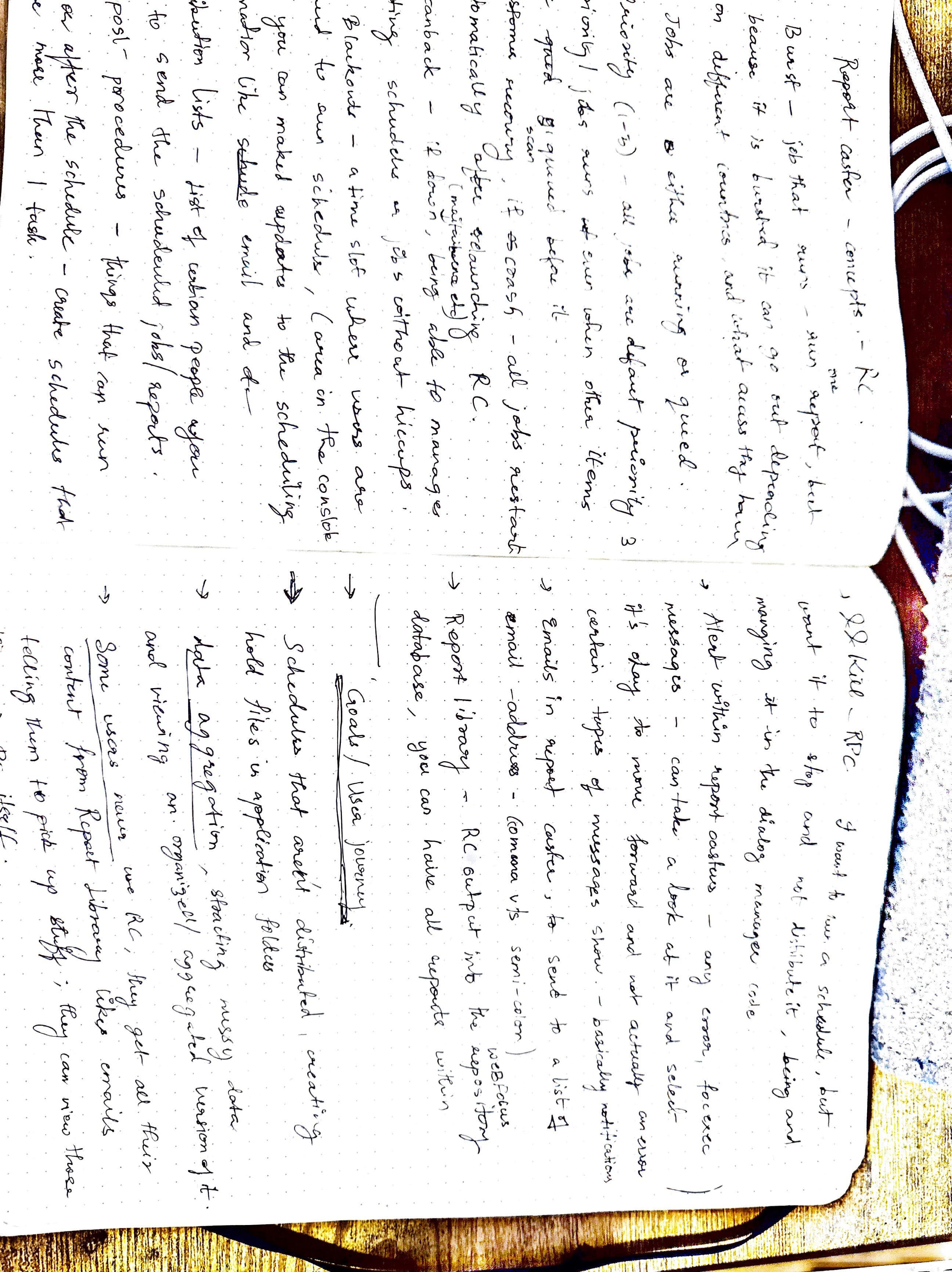
Deconstructing the fragmentation of the 5 connected subsystems.
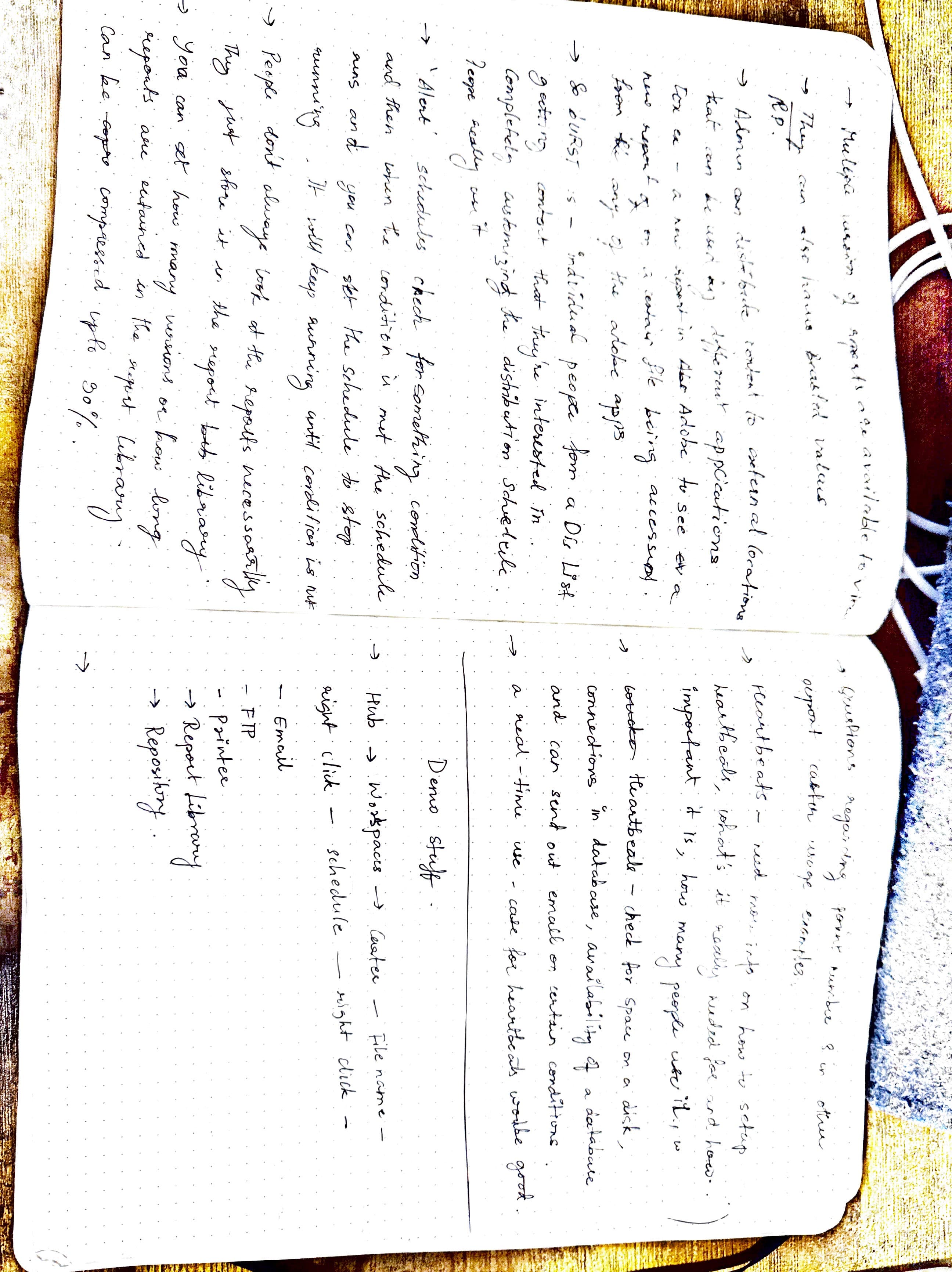
Tracing the complex paths users had to navigate.
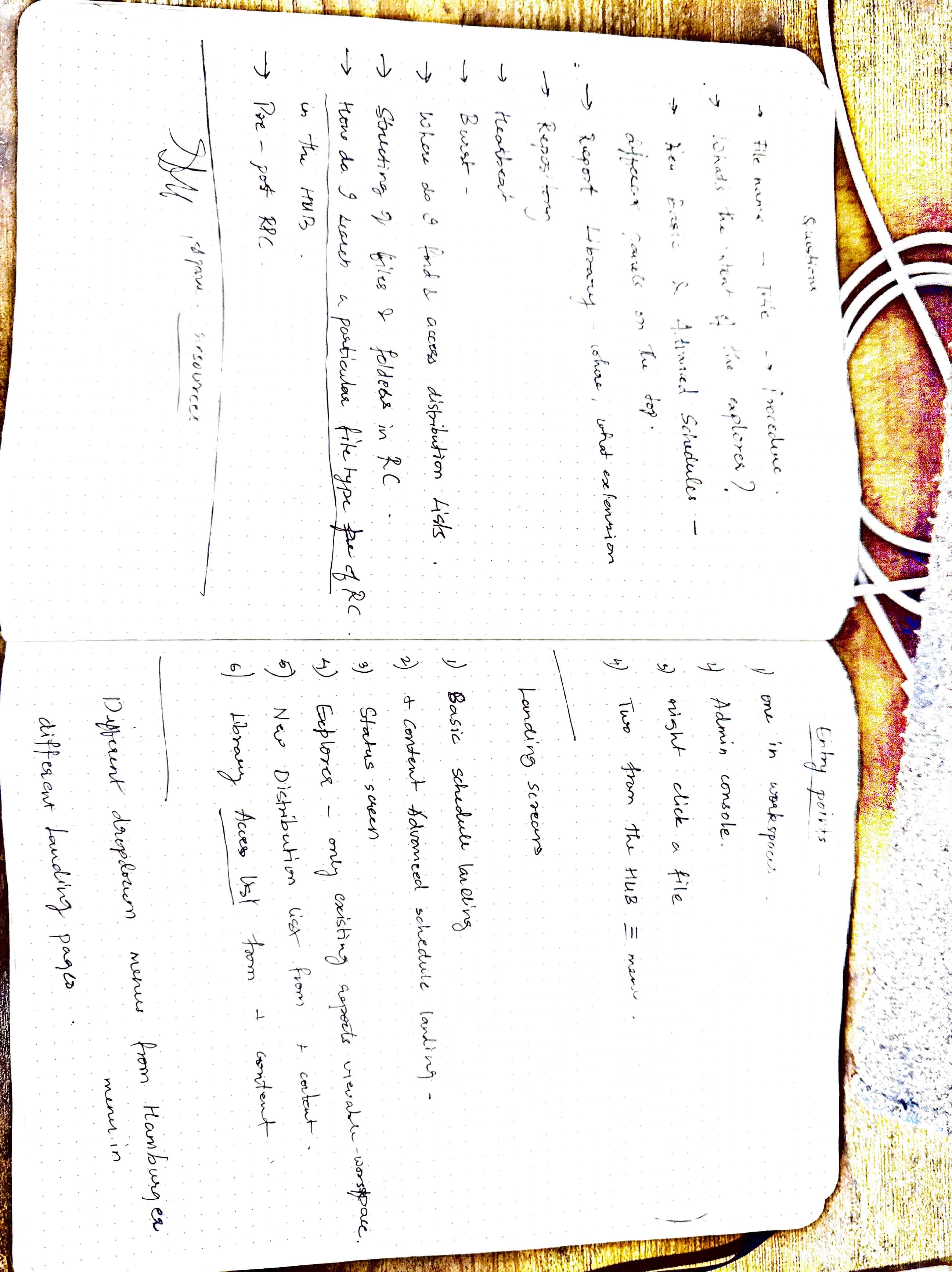
Documenting the friction and dead-ends in the legacy workflow.
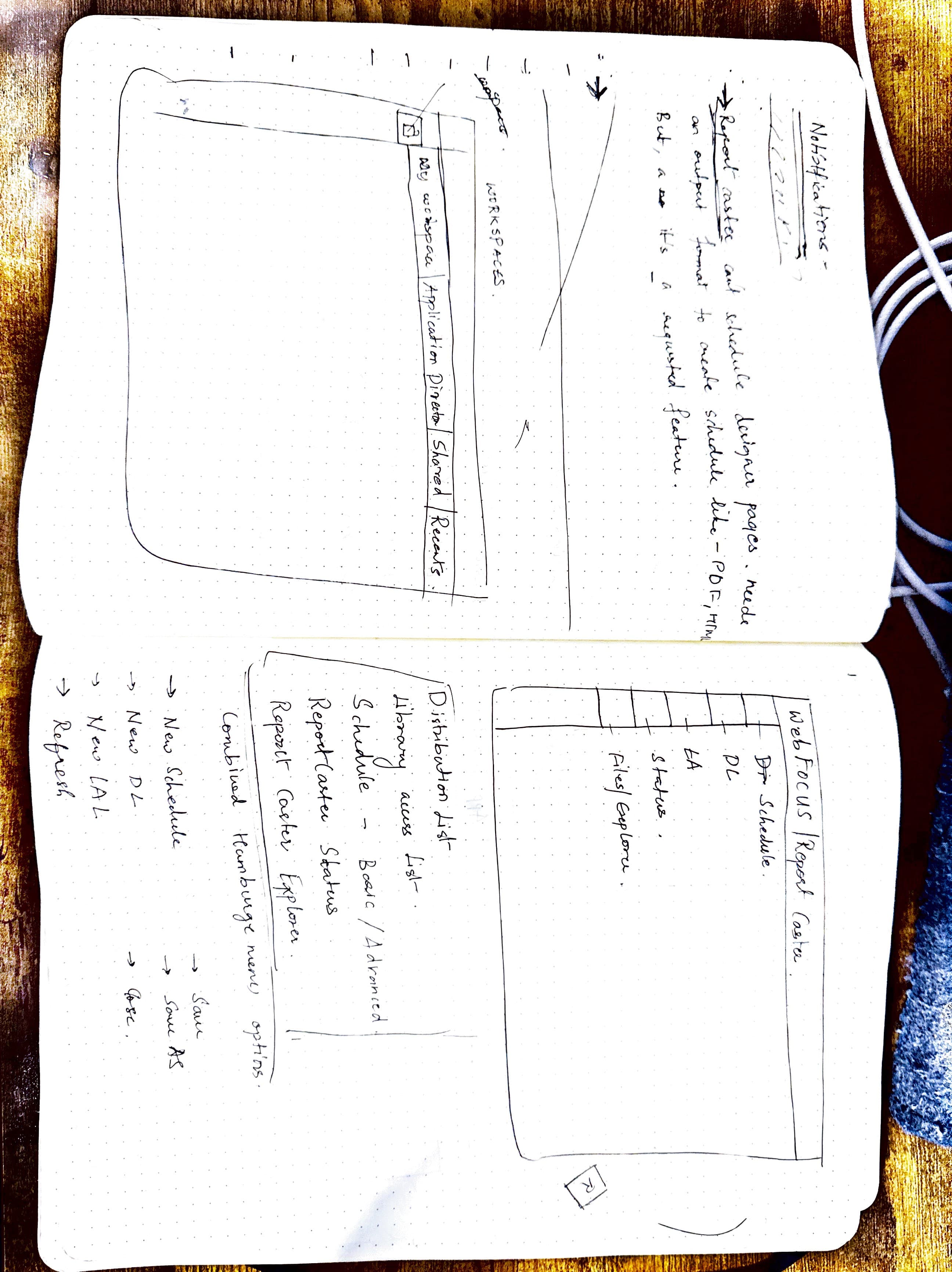
How the scheduling modal could live in the + menu.
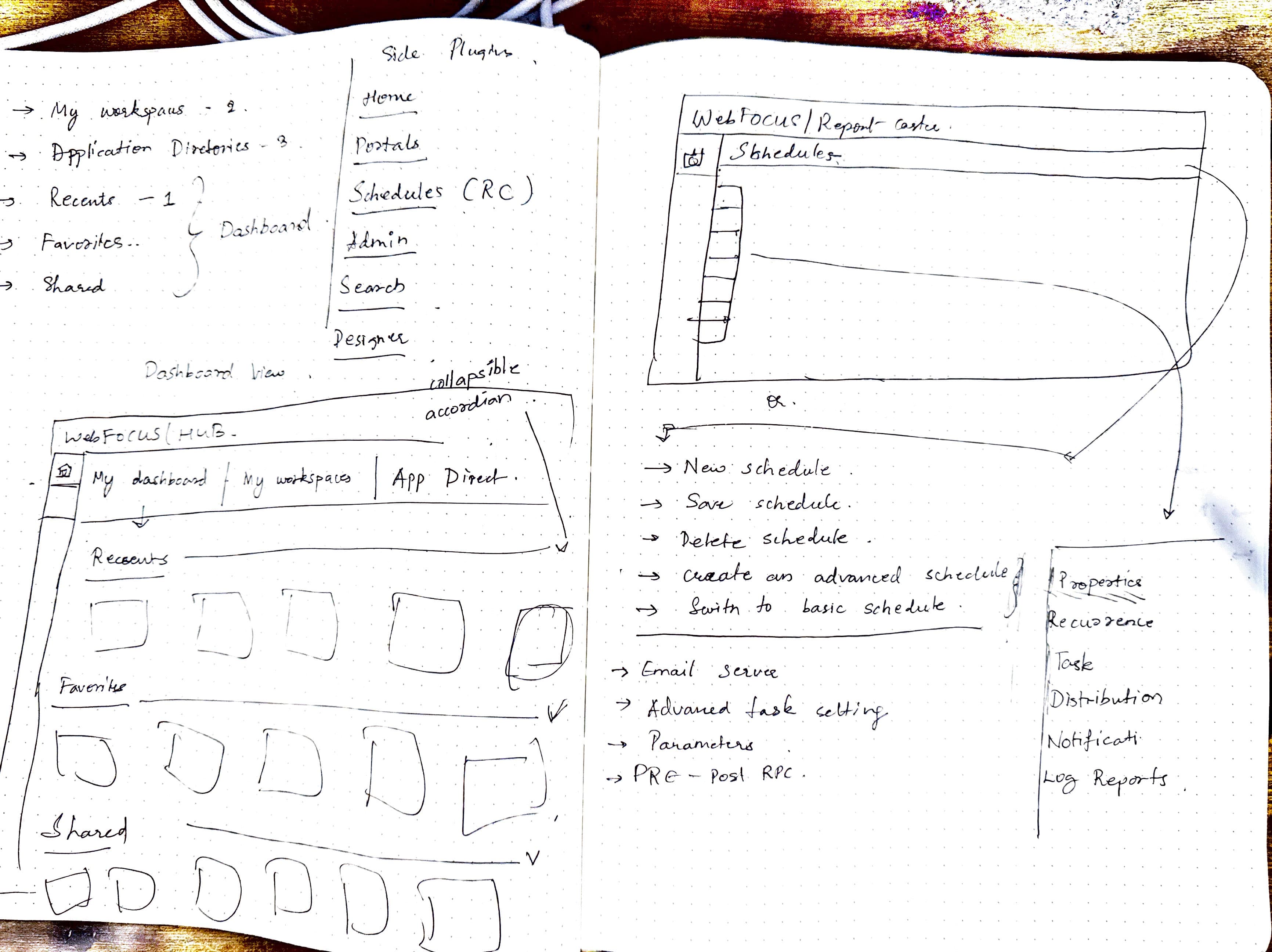
Sketches on how we could simplify complex rules.
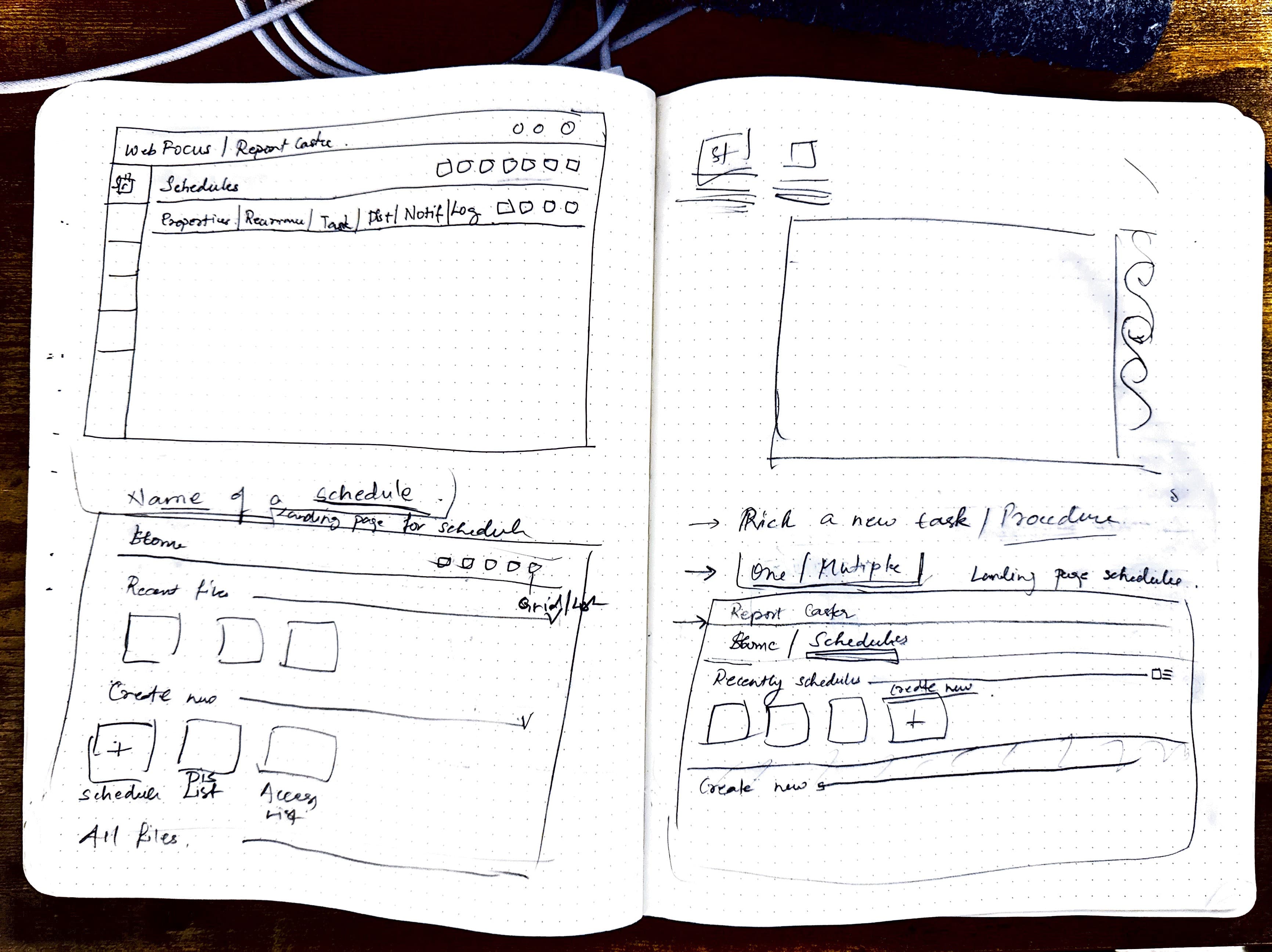
Exploring how scattered lists could be unified with the main flow.
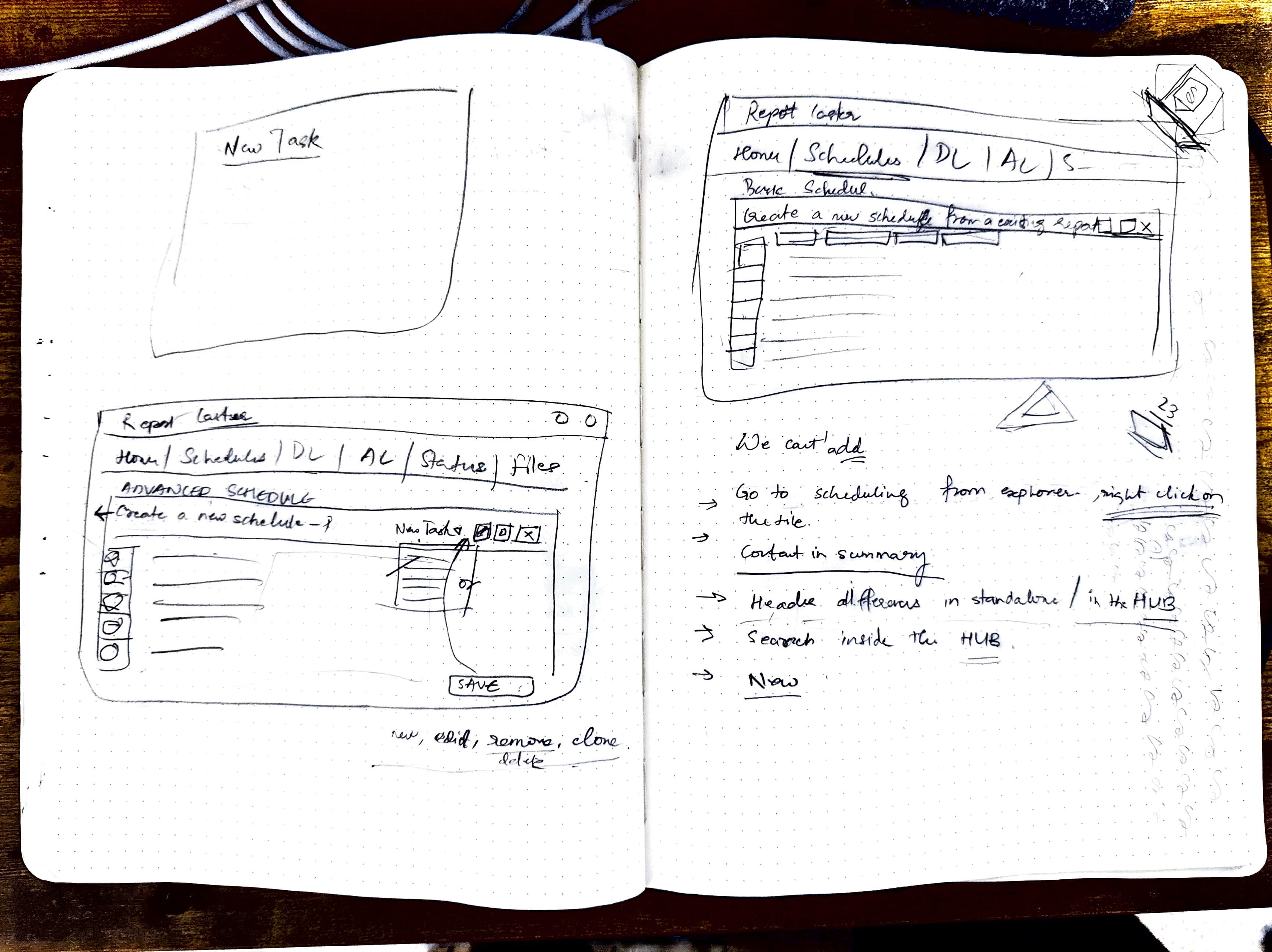
Early sketches of what the new unified version could look like.
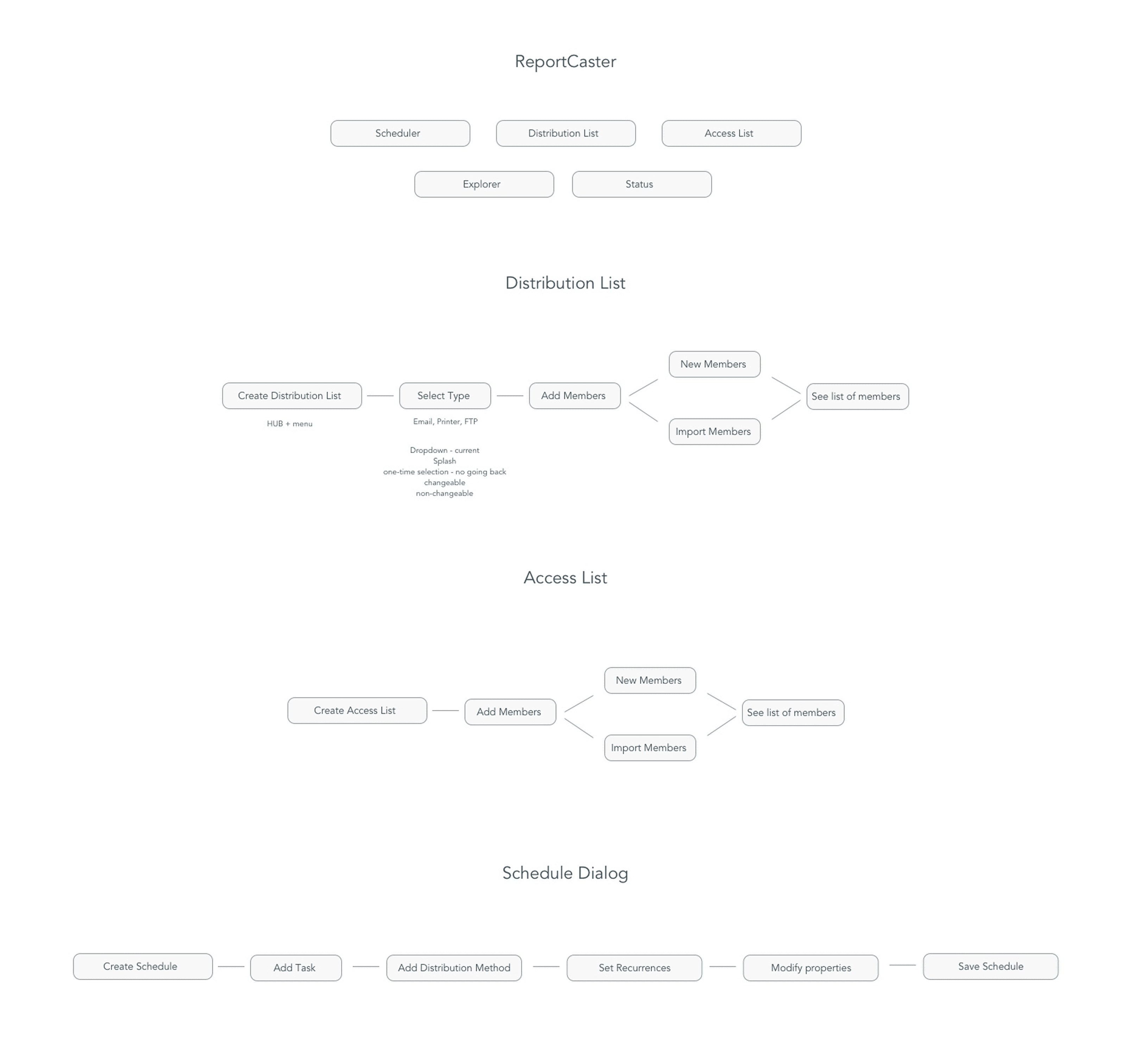
Complete workflow map showing how all 5 ReportCaster subsystems connect — scheduling, distribution, access lists, explorer, and admin.
5 Fragmented Subsystems → 1 Unified Hub
The legacy system wasn't a feature — it was a product inside a product. I mapped every workflow, entry point, and hidden rule across five disconnected tools, then unified them into predictable platform entry points.
4 clicks to create
Hacked by users
Undocumented rules
2 clicks + new tab
Separate browser tab
Workflows & Navigation
Every scheduling workflow
From schedule creation to distribution to monitoring
Every entry point
Where users could access RC features (inconsistent across product)
Every dialog and branching path
Understanding when users saw what, and why
System Capabilities
Every admin capability
System configuration, permissions, settings
Every explorer interaction
How users viewed and filtered existing schedules
Every job-health pattern
How users monitored scheduled jobs, failure states
Reliability & Logic
Every failure & recovery rule
Critical for enterprise reliability
Burst, retention, blackout logic
Undocumented rules users relied on
Invisible UI behaviors
Rules in code that were never surfaced
Three Architectures. Two Rejections. One Shipped.
Each rejection narrowed the constraint space until the right solution emerged.
Independent Product
Standalone RC environment — dedicated scheduling, explorer, and admin
Rationale
Matched existing platform patterns (Designer, Data Flows) and industry standards.
Constraint
Leadership mandated all workflows centralized in the Hub.
I designed V1 as a standalone product matching existing platform patterns — dedicated scheduling, explorer, and admin in one place.
Rejected: "Leadership wants all workflows centralized in the hub." Fair constraint. I moved on.
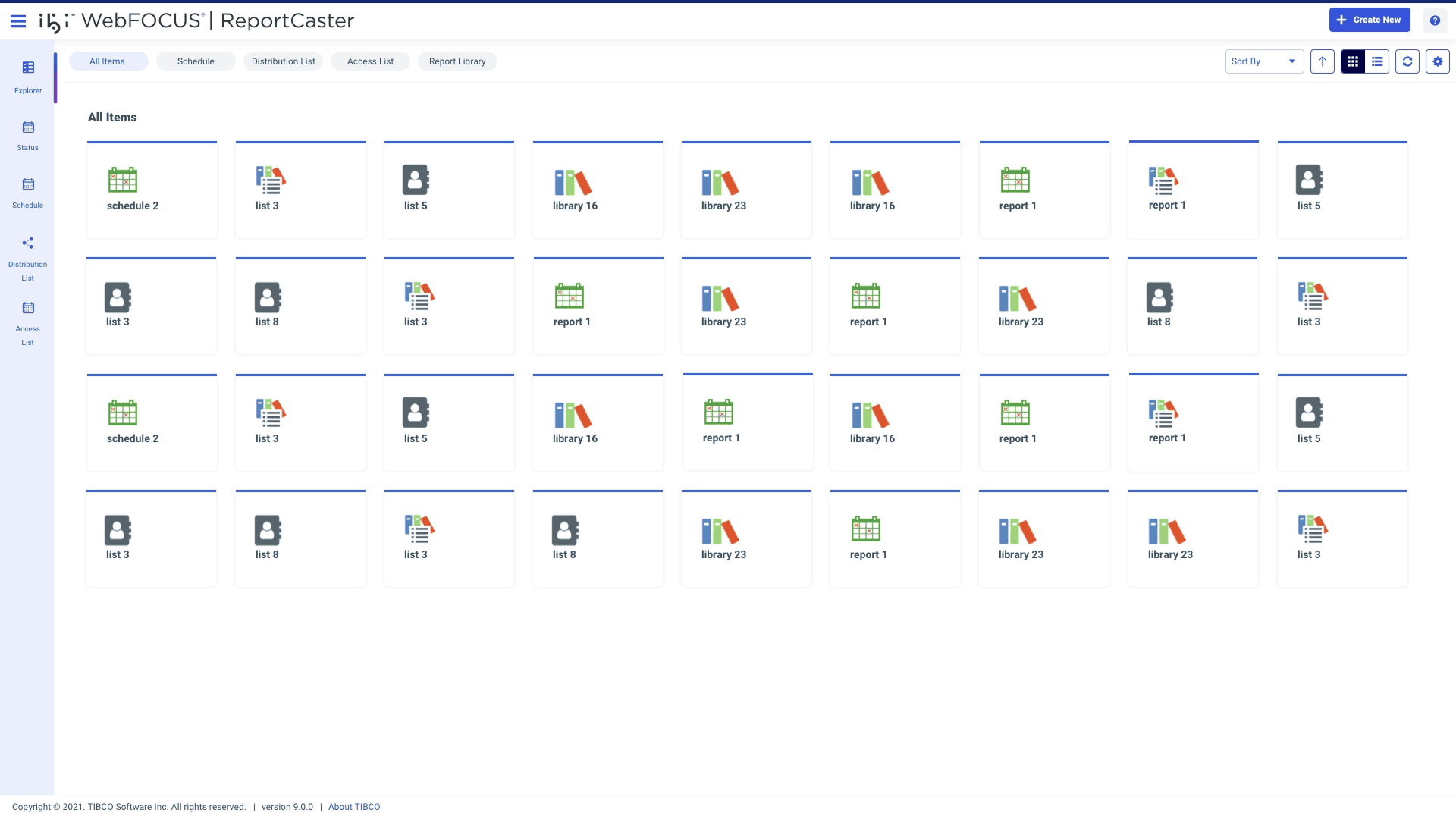
2025 Update: V1 Is Being Built
Customers specifically requested an independent RC environment. Leadership approved. My "rejected" V1 is now in active development — design instincts validated by customer data.
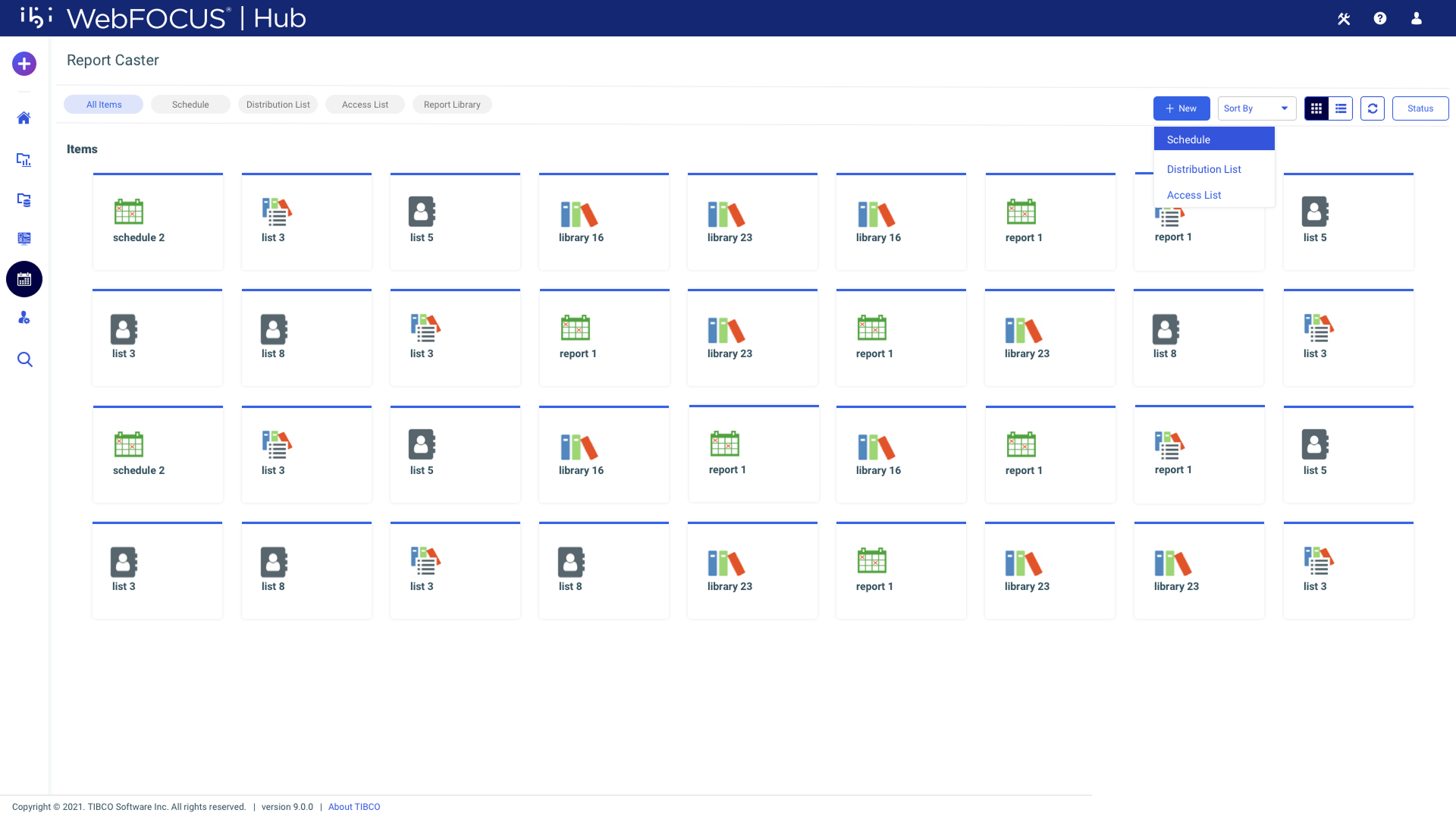
Hub Plugin
RC as a plugin with integrated navigation and consolidated subsystems
Rationale
Brought RC into the Hub to meet leadership requirements.
Constraint
Engineering estimated 6+ months — too much effort for the timeline.
I built a hub-friendly plugin with integrated navigation and consolidated subsystems. This was my favorite version.
Rejected: "Too much engineering effort this year." Different constraint — resourcing, not strategy. Two rejections. Time to reframe from scratch.
Platform-Native
Modal-based workflows from the + menu
Rationale
Designed WITH platform patterns (+ menu, modals) — minimal engineering, maximum impact.
Reframed: "How does the platform WANT workflows to behave?" Every major workflow starts in the + menu. That's platform architecture, not just UI.
Aha moment: If RC is a creation workflow, why not initiate from + menu? Modals worked within legacy FOCUS code without a rewrite. Constraint became advantage.
Shipped Workflows
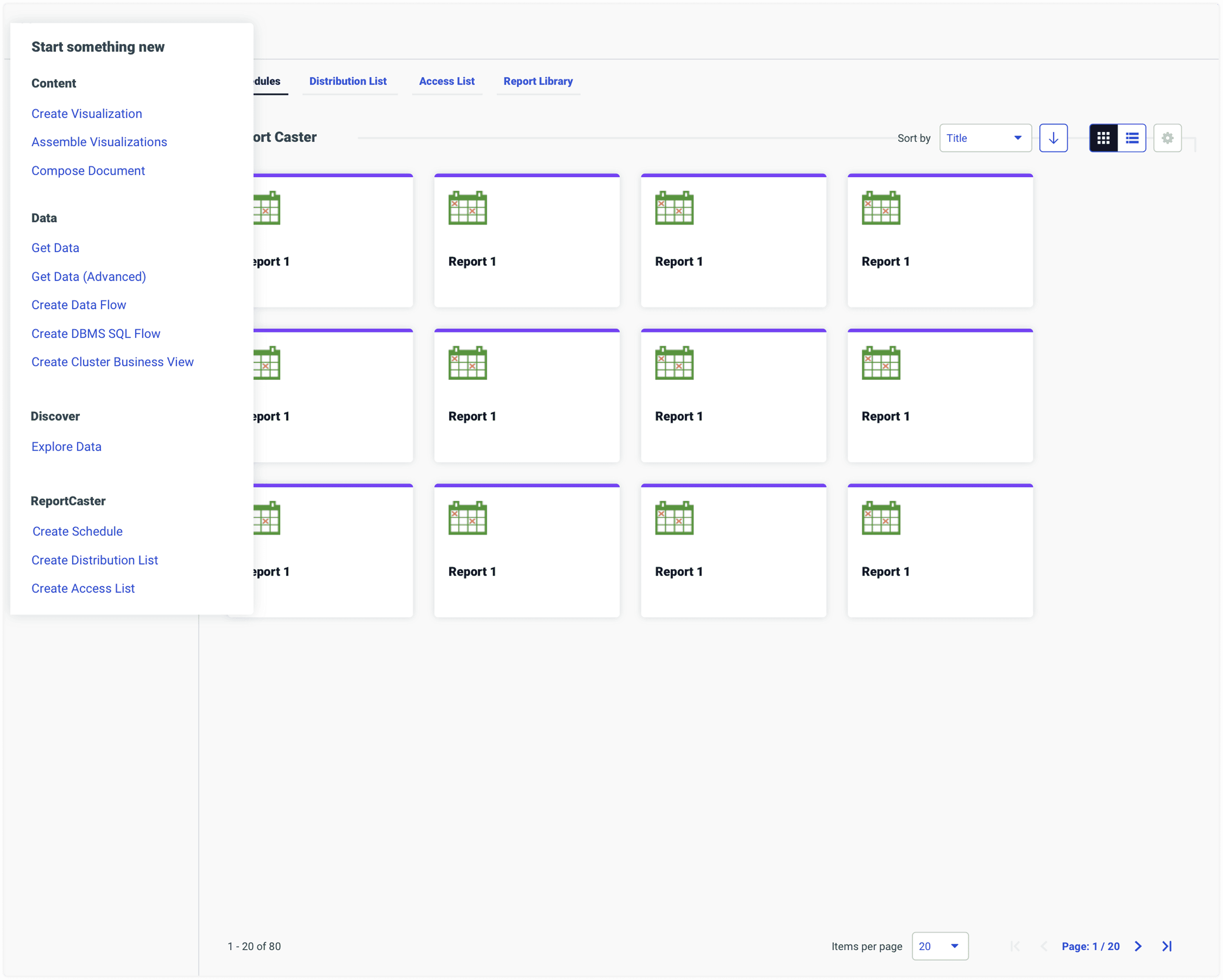
Schedule Dialog: Initiating ReportCaster from + menu
Designed for Platform-Wide Reuse
Decoupling the scheduler from any specific location means scheduling can surface from anywhere — Designer, Reporting Server, IQ Plugin, or any future product.
The Final System: Modal-Based Workflows
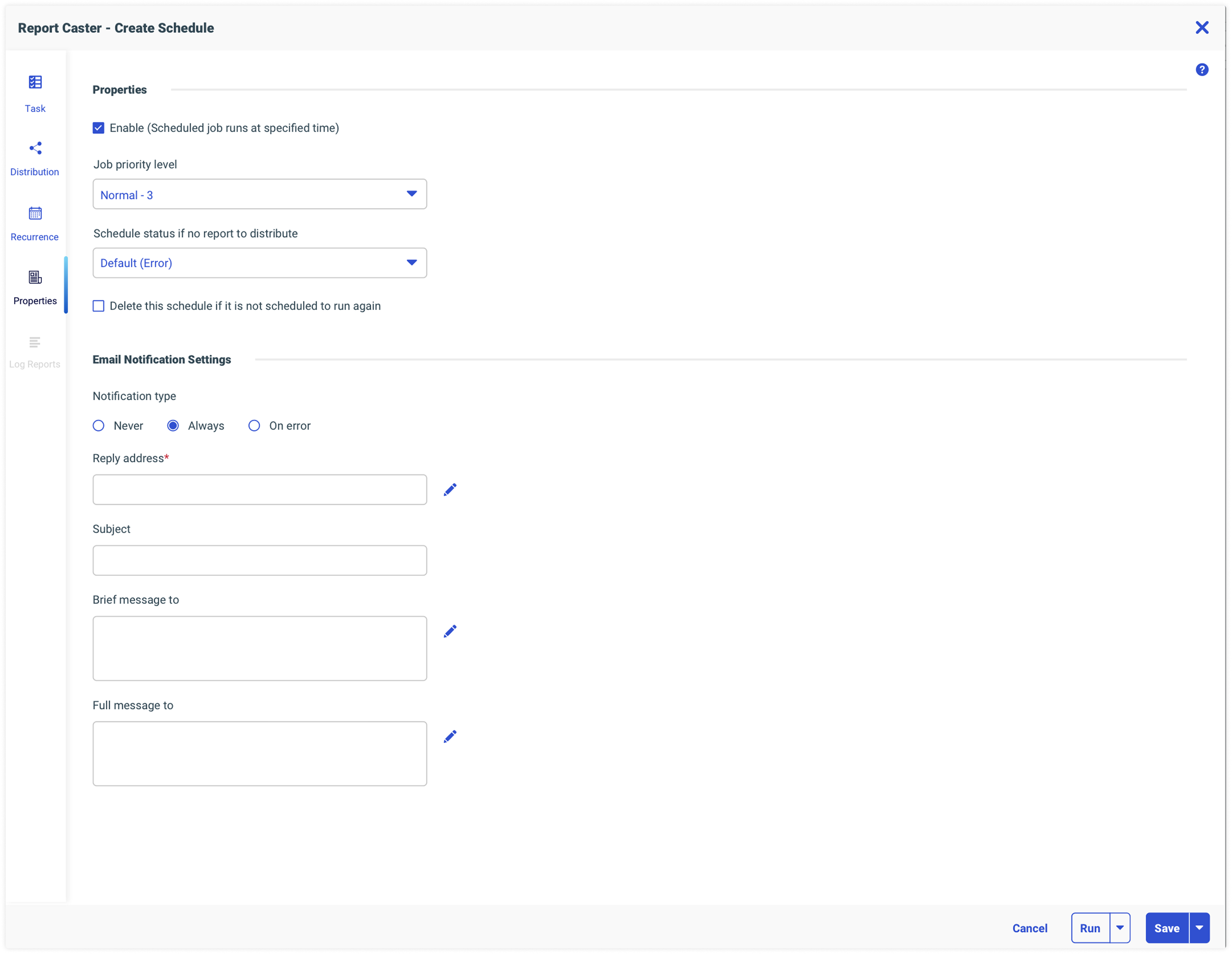
Schedule Dialog — Core scheduling configuration
The Question That Changed Everything
After two rejections, I stopped asking 'Where should RC live?' and started asking something different.
"Where should ReportCaster live?"
"How does the platform want workflows to behave?"
If ReportCaster is fundamentally a creation workflow, why isn't it initiated from the + menu?
Modals from + menu match every other creation workflow in the platform
Modal approach works within existing legacy code — no backend rewrite
"When both UX and engineering won, leadership was absolutely thrilled and said yes."
Act IV
What I Built: From Dialog to Ecosystem
Schedule Creation: 5+ Clicks vs 2 Clicks
The old path required 5+ clicks and a context-switching new tab. The new modal is accessible in 2 clicks directly from the Hub.
Go into hub
Navigate to workspaces
Click plus content button
Drill down in context menu
Select create schedule
Scheduler opens in new tab
Result: Context switching fatigue & high cognitive load
+ Menu Create Schedule
Configure (task, distribution, recurrence) — happens in same context
Result: Streamlined flow & retained focus
One Detail I'm Proud Of
The best UX is often the simplest insight.
Users had to mentally decode what their schedule actually did.
I was configuring a recurrence pattern and tried to read the schedule out loud...
"Runs Monday to Friday at 6:00 PM, recurring every week."
Users read their schedule like a sentence, not a settings panel.
Product management gave instant approval.
Lead engineer said "YEAH" — and from that moment, became her biggest cheerleader on the RC team.
Password Protected
Click to unlock
- ●Five disconnected subsystems
- ●4 clicks to create schedule/lists
- ●2 clicks to access Explorer
- ●Hidden functionality in legacy menus
- ●Unified modal-based workflow
- ●2 clicks to create schedule/lists
- ●1 click to access Explorer
- ●All functionality accessible from Hub
Side-by-Side Comparison
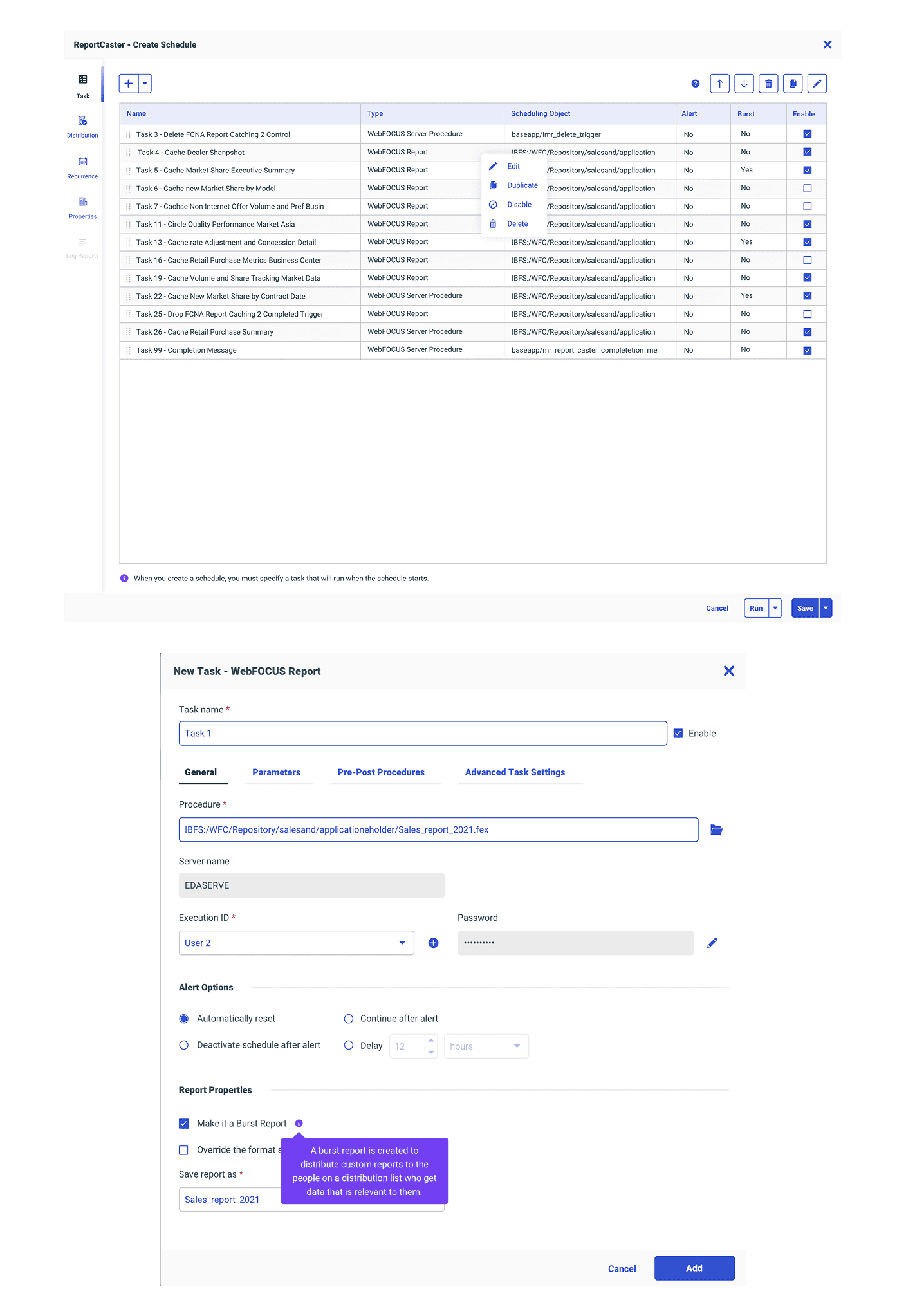
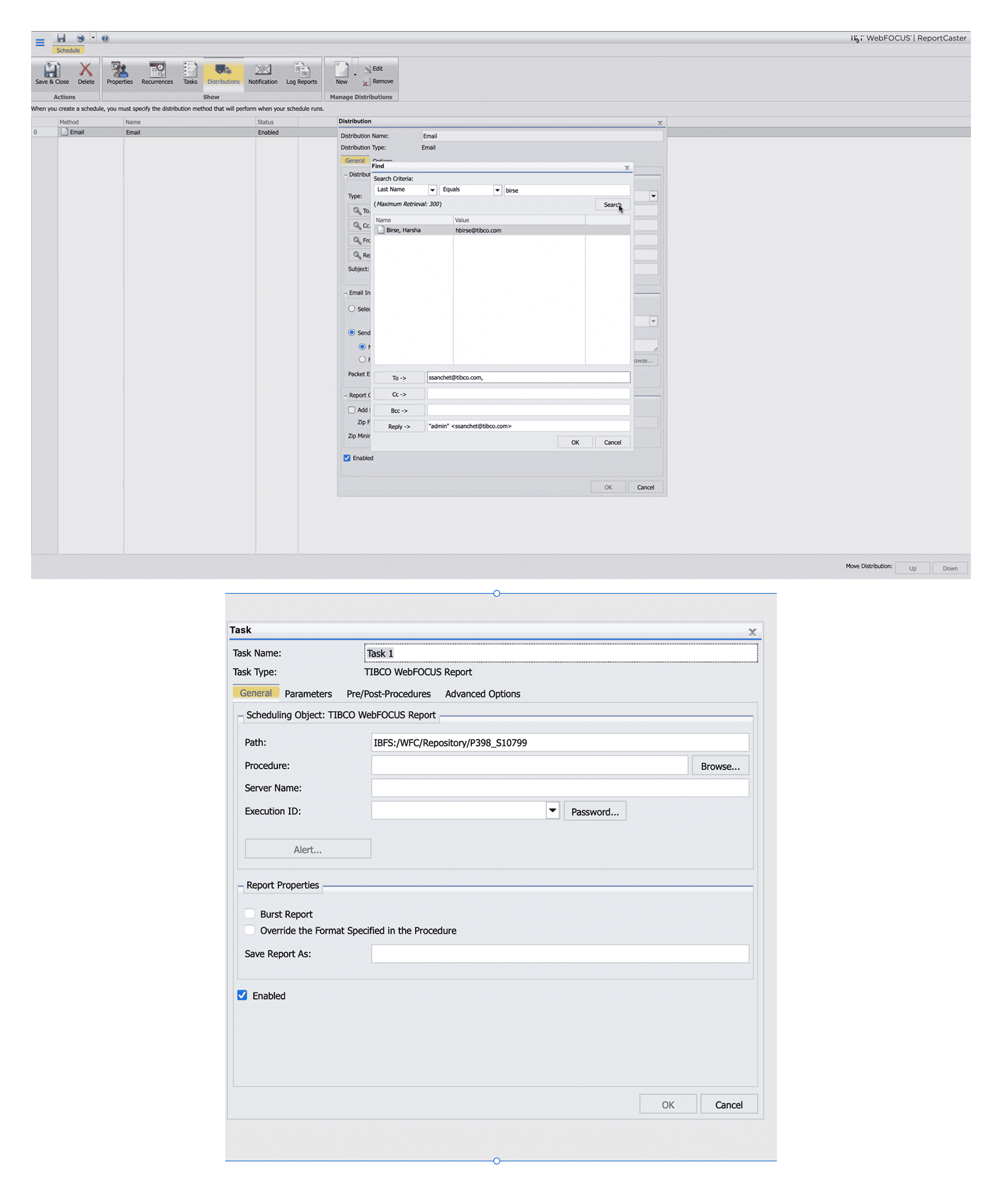
Design System Components
Shared design system used across all three case studies. A unified language for coherence.
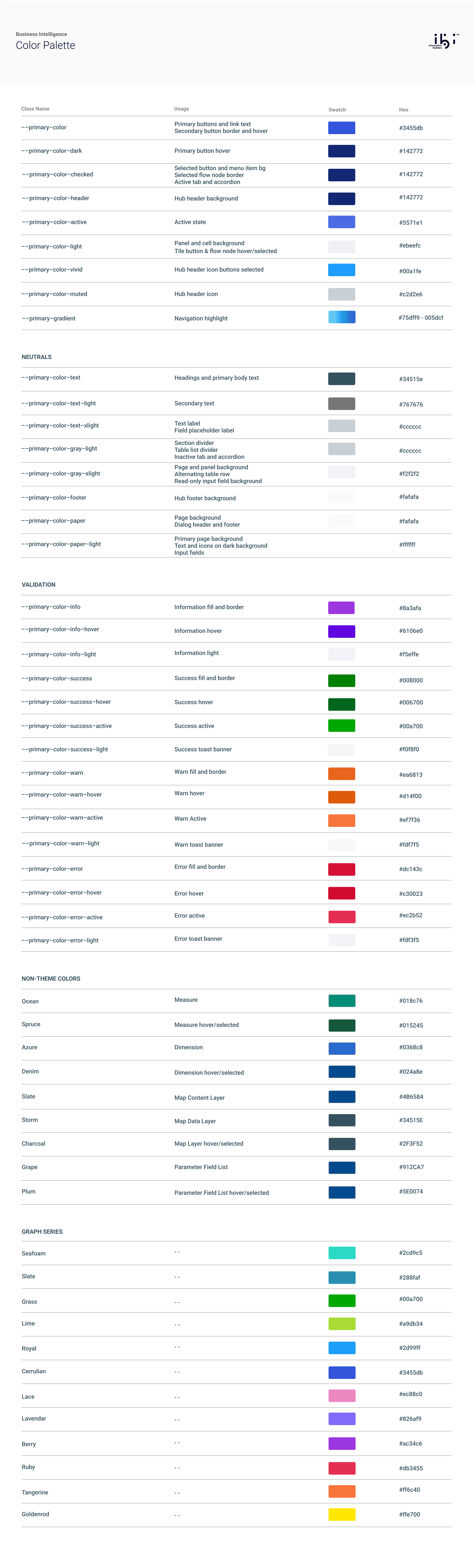
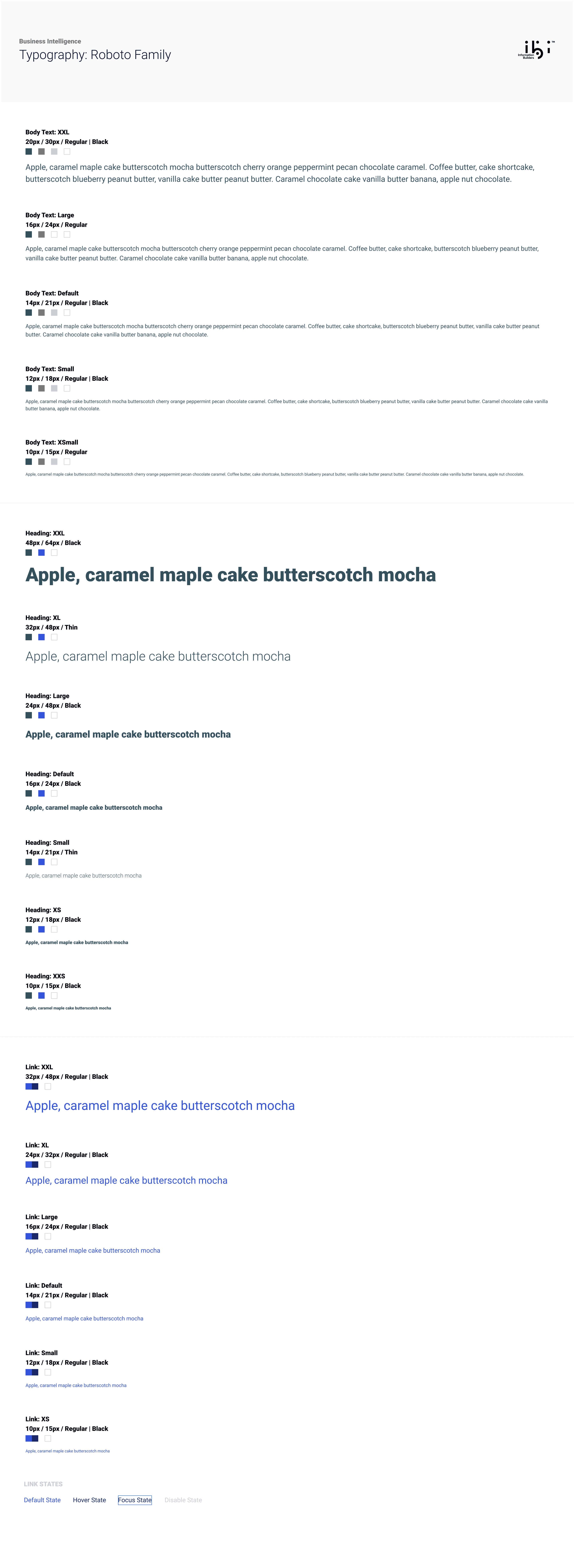
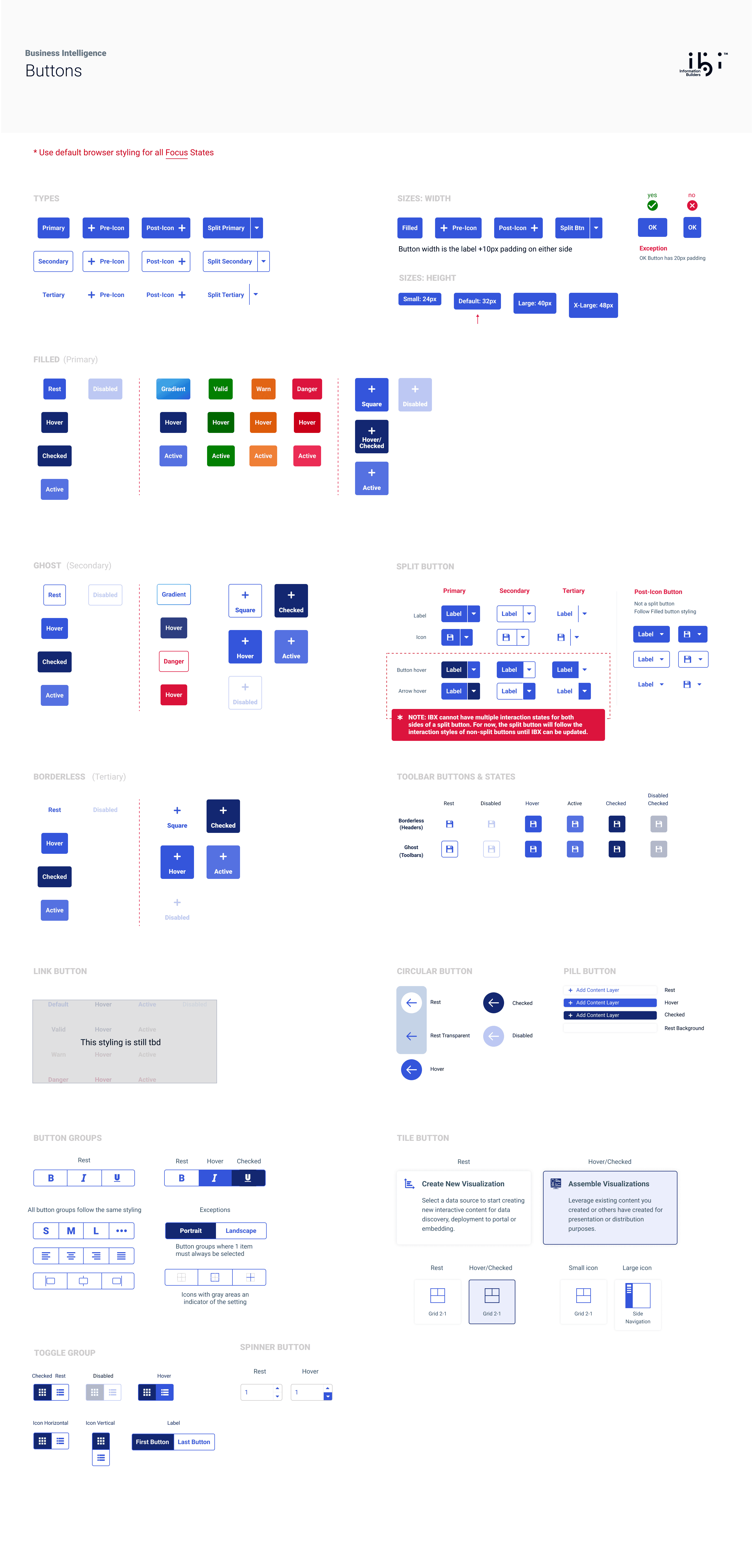
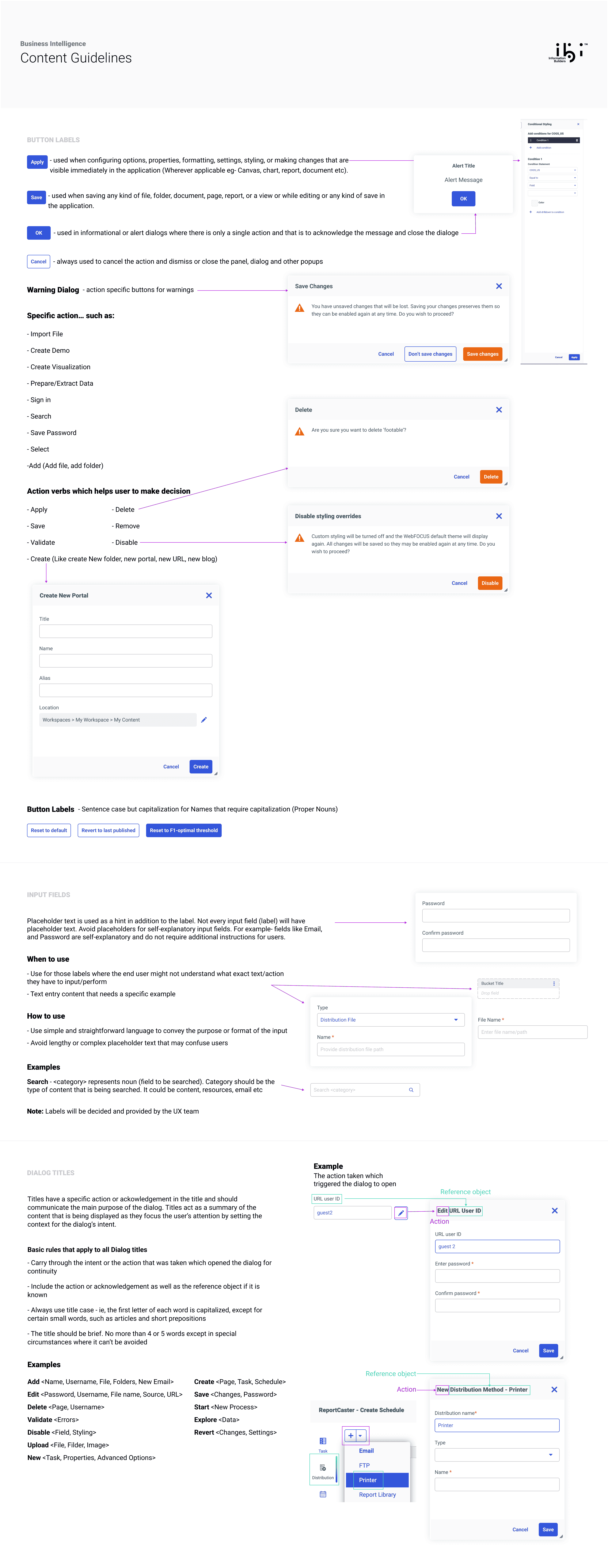
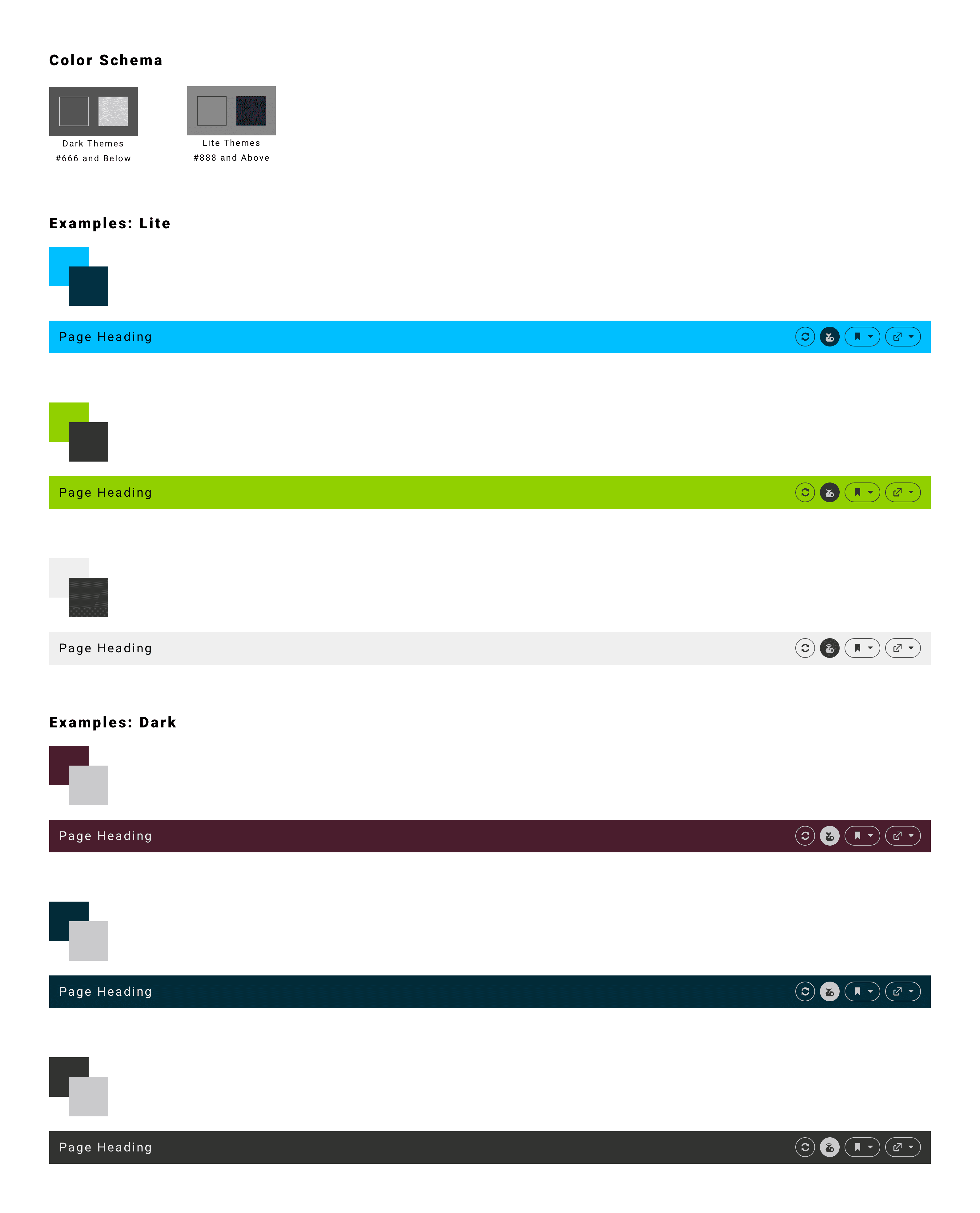
Artifact 01 of 24
Act V
I Onboarded 20 People. Then I Let Go.
Onboarded a ~20-person team who had never seen RC. Managed three projects simultaneously. Remained the knowledge hub for 6 months after exit.
Team Onboarding
I created a comprehensive onboarding guide that reduced the ramp-up time for new designers from 3 weeks to 3 days.
Onboarding Activities
Discovery
- →Dozens of demos (old vs new)
- →Legacy quirks walkthroughs
- →Failure logic explanations
Alignment
- →IA & structural decisions
- →Interactive prototypes
- →Workflow documentation
Execution
- →Mediate engineer conflicts
- →Edge case documentation
- →Team handoff
Engineers who initially intimidated me became collaborators I respected — and who respected me.The documentation work gave me context to contribute meaningfully in cross-functional discussions.
Onboarded 2 Designers. Stayed the Knowledge Hub.
No PM for the first phase. I filled the gaps.
Alignment
Workflow diagrams as shared language · Phased modernization to reduce risk · Early IA to design leadership
Unblocking
Translated legacy into UX decisions · Managed trade-offs with engineering · Lo-fi prototypes for validation
Handoff
Onboarded 2 designers mid-project · Documentation, flows, and rationale · Remained knowledge hub after transition
“"She impressed everyone with how quickly she grasped all aspects of a highly intricate system." — Yingchun Chen, Principal System Software Engineer”
Act VI
Asked For a Makeover. Delivered a New Product.
Asked for: a UI makeover. Delivered: a brand-new integrated ReportCaster. Customers retained. Satisfaction validated.
From Visual Refresh to System Architecture
14 Months
End-to-end journey from initial visual refresh concepts to a fully implemented system architecture.
Live
Shipped April 2024. Available to all enterprise customers in the production environment.
20M+
Schedules processed weekly. The redesign maintained 100% reliability at massive enterprise scale.
System Spec
Replaced 50 years of tribal knowledge with a documented ecosystem. Architecture enabled extensibility.
System at Scale
Shipped as part of WebFOCUS 9.3 — actively impacting millions of users daily. Mission-critical system that couldn't afford to break.
Voice of the Team
“She impressed everyone with how quickly she grasped all aspects of a highly intricate system and translated that understanding into a clear, modern, and user-centered design.”
“Anuja brings energy and determination to tackling complex design challenges. She approaches her work with a fearless attitude and is never afraid to explore new ideas.”
Honest Reflection
What I'd Push Harder For
Embedded Explorer View: Embedding the RC Explorer view directly into Hub workspaces instead of a separate filtered view. This would have expanded the pattern to Designer, Reporting Server—everything. That's my biggest regret.
Where I'd Take It Next
Product-Wide Integration: Integrate ReportCaster product-wide—schedule from Designer, Reporting Server, IQ Plugin. Imagine generating an insight and immediately scheduling it. That's the vision.
Interested in working together?